
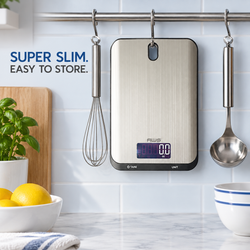
The best digital scale for portion control should make weighing food simple, quick, and repeatable. It should have enough capacity for your plates and containers, an appropriate resolution for the foods you measure, a reliable tare function, and a platform that fits comfortably into your normal routine.
For most people, a digital kitchen scale with a capacity of approximately 5,000 grams and a resolution of 1 gram provides the best balance. That combination works well for meat, fish, rice, pasta, vegetables, fruit, snacks, and complete meals. People who frequently measure smaller ingredients may prefer a scale that reads in 0.1-gram increments, while a compact pocket scale may be convenient for travel or small portions.
The most detailed or expensive scale is not automatically the best choice. A successful portion-control scale is one you can use consistently without struggling with an undersized platform, unstable readings, confusing controls, or insufficient capacity.
This guide explains which specifications matter, how to use a food scale correctly, and how to choose the best digital scale for your particular portion-control goals.
Why Use a Digital Scale for Portion Control?
Visual estimates can be inconsistent. A portion that looks small on one plate may look large on another. Foods such as cereal, pasta, nuts, grated cheese, and rice can also settle or pack differently when measured by volume.
A digital food scale replaces visual guessing with a repeatable weight. It can help you:
-
Divide a recipe into equal servings
-
Compare your portion with a Nutrition Facts label
-
Measure ingredients in grams or ounces
-
Track food more consistently
-
Prepare several matching meals
-
Follow recipes written by weight
-
Reduce accidental overportioning
-
Monitor changes in serving size
-
Reduce food waste
A scale does not decide how much you should eat. It gives you reliable information that can support the portion targets you choose.
You can compare different capacities, platform styles, and resolutions in the American Weigh Scales collection of digital kitchen scales.
What Makes a Digital Scale Good for Portion Control?
A useful portion-control scale should provide a combination of:
-
Appropriate capacity
-
Suitable resolution
-
Consistent readings
-
A responsive tare function
-
Grams and ounces
-
A clear display
-
A practical platform
-
Simple controls
-
Easy cleaning
-
Reliable battery life
These features matter more than complicated connectivity or a long list of rarely used measurement modes.
Capacity
Capacity is the maximum total weight a scale can safely support. It includes both the food and its container.
If a plate weighs 700 grams and the food weighs 500 grams, the total load is 1,200 grams. You therefore need a scale with a capacity above 1,200 grams, even if you press tare after placing the plate on the platform.
Resolution
Resolution is the smallest change in weight displayed by the scale.
Common options include:
-
1 gram: best for most portions and complete meals
-
0.1 gram: useful for smaller ingredients and detailed measurements
-
0.01 gram: generally intended for very small quantities
More decimal places do not necessarily improve ordinary portion control. If you are weighing approximately 170 grams of cooked chicken, a whole-gram result is usually more than adequate.
Accuracy
Accuracy describes how closely a reading agrees with the item’s actual mass. It depends on more than the displayed increment.
Calibration, surface stability, battery condition, temperature, load placement, and physical condition can all affect accuracy. A properly used 1-gram scale may provide more useful measurements than a poorly maintained scale displaying two decimal places.
Repeatability
Repeatability means receiving the same or a very similar result when the same item is weighed repeatedly under the same conditions.
For everyday portion control, repeatability is essential. If an unchanged item reads 100 grams, then 108 grams, and then 94 grams, the scale cannot support consistent portioning.
Best Capacity for a Portion-Control Scale
500 Grams or Less
Low-capacity scales are designed mainly for small ingredients. They may be useful for:
-
Spices
-
Seasoning blends
-
Coffee beans
-
Nutritional powders
-
Nuts and seeds
-
Small snacks
They are usually not suitable for complete meals because the plate or bowl may consume most of the scale’s capacity.
1,000 to 2,000 Grams
This range can handle many individual food portions and lightweight containers. It may be sufficient for:
-
Protein portions
-
Fruit
-
Vegetables
-
Rice or pasta
-
Sandwich ingredients
-
Small meal-prep containers
-
Baking ingredients
Check your container weight carefully. A heavy glass plate can substantially reduce the usable range.
3,000 to 5,000 Grams
A capacity between 3 and 5 kilograms is the most practical range for many households. It gives you space for normal plates, mixing bowls, and complete meals.
A scale in this range can generally accommodate:
-
Full meal plates
-
Meal-prep containers
-
Medium mixing bowls
-
Several servings of cooked food
-
Ingredients for family recipes
-
Heavier ceramic or glass dishes
The Neptune 5-kilogram kitchen scale is an example of the higher-capacity format that can support everyday food measurement and larger containers.
More Than 5,000 Grams
Consider a higher-capacity scale if you portion large batches, use heavy cookware, or prepare meals for multiple people simultaneously.
Higher capacity can be helpful for:
-
Bulk meal preparation
-
Large mixing bowls
-
Full pots
-
Family-size recipes
-
Commercial food containers
-
Multiple meal portions
Check the scale’s resolution before buying. Some high-capacity models use larger measurement increments that may be less suitable for small portions.
Is 1-Gram Resolution Accurate Enough?
A resolution of 1 gram is appropriate for most portion-control applications.
It works well for:
-
Meat
-
Poultry
-
Fish
-
Rice
-
Pasta
-
Bread
-
Potatoes
-
Vegetables
-
Fruit
-
Complete meals
For example, if your target is approximately 150 grams of cooked rice, knowing whether the portion weighs 149 or 151 grams is usually sufficient. A reading of 149.36 grams rarely changes the practical decision.
Whole-gram resolution also tends to produce a clear, stable display. Finer scales may visibly respond to countertop vibration, air movement, or food shifting inside a container.
When Is 0.1-Gram Resolution Useful?
A scale reading in 0.1-gram increments may be helpful for:
-
Coffee
-
Nuts and seeds
-
Small cheese portions
-
Spices
-
Condiments
-
Baking ingredients
-
Small snacks
-
Ingredients with a high amount of energy per gram
A useful option may combine fine resolution with enough capacity for normal containers. The Barista 3-kilogram coffee and kitchen scale is listed with a 3-kilogram capacity and 0.1-gram readability, providing a balance between detailed measurement and practical kitchen capacity.
A 0.1-gram display can be valuable, but it is not required for most complete meals.
Do You Need 0.01-Gram Resolution?
Most people do not need 0.01-gram resolution for portion control.
A one-hundredth-of-a-gram difference is too small to influence typical portions of meat, grains, vegetables, or fruit. Scales with this resolution often have low capacities and small platforms.
They are better suited to specialized measurements involving tiny quantities. They may also be more sensitive to:
-
Drafts
-
Vibrations
-
Temperature changes
-
Static electricity
-
Movement
-
Uneven surfaces
Choose fine resolution because your task requires it—not because additional decimal places appear more professional.
The Tare Function Is Essential
Tare allows you to place a plate, bowl, or container on the scale and reset the display to zero. Food added afterward is displayed separately from the container.
To use tare:
-
Turn on the scale.
-
Wait for the display to show zero.
-
Place the empty container on the platform.
-
Press the tare or zero button.
-
Confirm that the display returns to zero.
-
Add the food.
-
Record the resulting food weight.
You can also tare between ingredients when building a meal in one container.
For example:
-
Place an empty meal-prep container on the scale.
-
Press tare.
-
Add rice and record its weight.
-
Press tare again.
-
Add chicken and record its weight.
-
Press tare again.
-
Add vegetables and record their weight.
Remember that tare does not increase maximum capacity. The scale still physically supports everything placed on it.
Platform Size Matters More Than It Seems
A scale may have sufficient capacity but still be inconvenient if the platform is too small.
An oversized plate or bowl can:
-
Cover the display
-
Block the controls
-
Tip when food is added
-
Make centering difficult
-
Touch the surrounding counter
-
Produce unstable or incorrect readings
A container can extend beyond the platform if it remains stable and does not touch another surface. However, the display must remain visible, and the full load must rest on the scale.
Before buying, measure the base of your most commonly used plate, bowl, or meal-prep container. Compare it with the scale’s platform dimensions—not just the overall size of the scale.
Pocket Scale or Kitchen Scale for Portion Control?
A kitchen scale is generally better for complete meals. A pocket scale is better for portability and smaller foods.
| Feature | Kitchen scale | Pocket scale |
|---|---|---|
| Complete meals | Excellent | Limited |
| Large plates and bowls | Better fit | Often awkward |
| Typical capacity | Medium to high | Low to medium |
| Portability | Moderate | Excellent |
| Fine resolution | Available on select models | Common |
| Small snacks | Excellent | Excellent |
| Batch preparation | Better | Limited |
| Storage space | Requires more room | Minimal |
A compact model from the digital pocket scale collection may be appropriate for weighing snacks, coffee, powders, or smaller portions away from home. For regular meal preparation, a full kitchen scale is usually more convenient.
Using a Food Scale With Nutrition Information
A digital scale measures weight. It does not directly measure calories, protein, carbohydrates, fat, fiber, sodium, or micronutrients.
To estimate nutritional intake:
-
Weigh the food.
-
Identify the correct nutrition entry.
-
Match the food’s preparation state.
-
Calculate the nutrients for the measured quantity.
-
Record the result using a consistent method.
USDA FoodData Central provides nutrition information for many foods. When selecting an entry, confirm whether the food is raw, cooked, drained, peeled, or prepared with added ingredients.
Raw and cooked weights are not interchangeable. Rice and pasta absorb water, while meat may lose water and fat during cooking. If you weigh cooked chicken, use an appropriate cooked-chicken entry rather than a raw one.
For packaged foods, the FDA’s Nutrition Facts Label guidance explains serving-size and nutrient information. A label may list nutrition for a particular weight, allowing you to calculate values for the portion you actually serve.
Portion Control Does Not Mean Eating as Little as Possible
Portion control is about awareness and consistency—not automatically choosing the smallest possible serving.
Appropriate portions depend on factors including:
-
Age
-
Activity level
-
Health needs
-
Dietary pattern
-
Personal goals
-
Total daily intake
-
Medical guidance
The federal MyPlate resource offers general information about food groups and balanced meal planning. The Dietary Guidelines for Americans provide broader evidence-based recommendations about healthy dietary patterns.
People with medical conditions, eating disorders, pregnancy-related nutritional needs, or specialized athletic requirements should seek individualized guidance from an appropriately qualified healthcare professional.
How to Calibrate a Portion-Control Scale
Calibration compares the scale’s measurement with a known reference mass. If the scale permits user calibration, the process adjusts its response to match that reference.
The exact steps vary by model, but the general process is:
-
Place the scale on a hard, level surface.
-
Allow it to adjust to room temperature.
-
Turn it on without anything on the platform.
-
Enter calibration mode according to the manual.
-
Confirm the required calibration mass.
-
Place the correct calibration weight in the center.
-
Wait for the scale to accept the reference.
-
Remove the weight.
-
Exit calibration mode.
-
Test the scale again.
Use only the weight specified in the manual. A package labeled 500 grams is not a calibration standard because product quantity, packaging weight, moisture, and filling tolerances can vary.
Compatible scale calibration weights provide a more dependable reference for checking supported models.
How to Check Repeatability at Home
You can perform a simple consistency check without changing the calibration:
-
Select one stable object that fits on the platform.
-
Weigh it in the center.
-
Record the reading.
-
Remove the object.
-
Wait for the display to return to zero.
-
Replace it in the same location.
-
Repeat five times.
The readings should remain the same or very close within the scale’s stated tolerance.
This is not a formal accuracy certification, but it can reveal:
-
Drifting readings
-
Low-battery problems
-
Surface instability
-
Position sensitivity
-
Possible damage
If the values vary significantly, replace the batteries, move the scale to a stable surface, and consult the manual.
Features Worth Looking For
Grams and Ounces
A good portion-control scale should offer grams and ounces. Grams are especially easy to use because they provide straightforward whole-number measurements.
Clear Display
The display should remain visible when a normal plate is on the platform. Backlighting can help in darker kitchens.
Responsive Controls
Tare and unit buttons should respond without requiring excessive pressure that shifts the scale.
Stable Readings
The display should settle quickly once the food and container stop moving.
Automatic Shutoff
Automatic shutoff saves batteries, but it should not activate so quickly that the scale turns off while you are still preparing a meal.
Low-Battery Indicator
Weak batteries may cause unpredictable behavior. A low-battery warning helps prevent interruptions and questionable results.
Overload Warning
An overload indicator protects the scale by warning you when the total load exceeds its intended range.
Easy-to-Clean Surface
A smooth platform is easier to wipe after spills. Avoid allowing crumbs, oil, or liquid to collect around the buttons or under the weighing platform.
How to Use a Scale for Consistent Portions
Weigh Empty Containers When Needed
Knowing the empty weight can help if the scale turns off after you have tared the container. You can subtract the container weight from the total if necessary.
Use the Same Measurement State
Decide whether you will track a food raw or cooked and remain consistent. Match that state with the recipe or nutrition reference.
Center the Load
Place the container near the middle of the platform. Avoid pressing on the counter or leaning against the scale.
Wait for Stability
Give the reading time to settle before recording it.
Use the Same Containers
Using similar meal-prep containers can make portioning faster and reduce the chance of capacity or platform problems.
Divide Batch Recipes by Weight
To divide a prepared recipe:
-
Weigh the empty storage bowl or cooking vessel if necessary.
-
Determine the net weight of the finished food.
-
Divide that weight by the desired number of portions.
-
Place each meal container on the scale.
-
Press tare.
-
Add the calculated amount to each container.
If a finished dish weighs 1,800 grams and you want six equal servings, each serving should weigh approximately 300 grams.
Common Portion-Control Scale Mistakes
Ignoring the Container’s Weight
The plate continues to count toward capacity after taring.
Choosing Too Little Capacity
A low-capacity precision scale may be unsuitable for full meals, even if its resolution looks impressive.
Placing the Scale on a Soft Surface
Towels, placemats, carpet, or padded surfaces can interfere with measurement.
Allowing the Bowl to Touch the Counter
If the counter supports part of the weight, the displayed result will be incorrect.
Confusing Fluid Ounces With Weight Ounces
A scale measures mass. Fluid ounces measure volume. They are not interchangeable for every ingredient.
Assuming All Foods Match Database Averages
Natural foods vary. Database information is useful for estimation, but it does not make every portion nutritionally identical.
Weighing Raw Food and Logging It as Cooked
Cooking changes water content and therefore weight. Match the measurement with the correct nutrition entry.
Treating the Scale as a Food-Safety Device
A scale cannot confirm whether meat has reached a safe internal temperature or whether leftovers were refrigerated correctly. Follow USDA food-safety recommendations separately.
Maintaining Your Digital Food Scale
Proper care helps preserve consistent performance.
-
Store it in a dry location.
-
Keep it away from direct heat and steam.
-
Wipe spills promptly.
-
Do not immerse it unless specifically rated for immersion.
-
Avoid dropping or striking it.
-
Never store heavy objects on the platform.
-
Replace weak batteries.
-
Check calibration when readings seem unusual.
-
Use a protective cover during transportation.
-
Avoid exceeding maximum capacity.
More detailed care recommendations are available in the AWS guide to digital scale maintenance.
Frequently Asked Questions
What is the best digital scale for portion control?
For most people, the best option has a capacity of approximately 5,000 grams, a resolution of 1 gram, a tare function, grams and ounces, and a platform large enough for normal plates and meal containers.
Is a food scale worth using for portion control?
Yes. It provides a repeatable measurement that is generally more consistent than estimating visually or relying entirely on measuring cups.
Is 1-gram resolution enough?
Yes. One-gram increments are suitable for most meats, grains, vegetables, fruits, snacks, and complete meals.
Should I buy a 0.1-gram scale?
Choose 0.1-gram resolution if you frequently measure smaller ingredients, coffee, nuts, seeds, spices, or detailed recipes. It is not necessary for most full meals.
How much capacity should a portion-control scale have?
A capacity between 3 and 5 kilograms works well for many households. Choose more capacity if you use heavy containers or prepare large batches.
Does tare remove the container from the maximum capacity?
No. It removes the container from the displayed result, but the physical weight still counts toward the scale’s limit.
Should I weigh food before or after cooking?
Either method can work. Use nutrition information that matches the food’s measured state and remain consistent.
Can a digital scale calculate calories?
A basic scale measures weight, not calories. Calorie estimates come from nutrition labels, recipes, or food databases.
How often should a food scale be calibrated?
Follow the product manual. Check calibration after transportation, impact, major temperature changes, or when readings appear inconsistent.
Why does my food scale show different readings?
Possible causes include an uneven surface, weak batteries, air movement, vibration, off-center loading, temperature changes, overloading, or a container touching the counter.
Final Thoughts
The best digital scale for portion control is one that fits naturally into your daily routine. It should have enough capacity for your food and containers, enough resolution for your smallest normal portions, a dependable tare function, and a platform that does not interfere with the display or controls.
For most households, approximately 5,000 grams of capacity and 1-gram resolution is the most practical combination. A 0.1-gram model can provide additional flexibility for smaller ingredients, while a pocket scale can be useful for portable measurement. Ultra-fine 0.01-gram resolution is rarely necessary for ordinary meals.
Whichever scale you choose, correct technique remains essential. Use a stable surface, center the load, include container weight when considering capacity, match cooked or raw weights with the correct nutrition data, and check the scale when its readings appear unusual.
A reliable digital scale does not need to make eating complicated. Used sensibly, it provides a simple reference that can make portioning, meal preparation, and recipe tracking more consistent.