
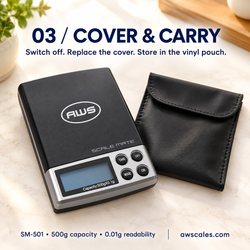
If your pocket scale stays at zero when you add a tiny object, check whether the sample is within the instrument’s reliable weighing range. A fine display increment does not guarantee that an equally small sample can be measured accurately.
Other possible causes include automatic zero tracking, an unsuitable unit, drafts, vibration, or contact around the platform.
Start with the model’s specifications and a stable setup. Calibration cannot give a scale capabilities beyond its design.
Find your exact model in the American Weigh Scales product manuals before changing settings or attempting adjustment.
Quick Small-Weight Troubleshooting Checklist
- Confirm the selected weighing unit.
- Check readability and any stated minimum load.
- Start with an empty platform and a settled zero.
- Reduce drafts and vibration.
- Check container and platform clearance.
- Compare normal placement with very slow additions.
- Check power if the display fades, resets, or shows a warning.
- Test with appropriate reference weights.
- Consider calibration only after readings become repeatable.
1. Check Readability Before Assuming a Fault
Readability is the smallest displayed increment. It is different from the smallest sample the scale can measure reliably.
For example, a display showing 0.01 g increments does not, by itself, establish accurate measurement of a 0.01 g sample.
| Specification | What it tells you |
|---|---|
| Capacity | Maximum permitted load |
| Readability | Smallest displayed increment |
| Minimum load | Lower operating limit, where specified |
| Repeatability | Agreement between repeated measurements |
| Minimum reliable sample weight | Smallest sample meeting the required measurement performance |
METTLER TOLEDO’s weighing guidance emphasizes choosing equipment according to the smallest sample and the accuracy required, rather than readability alone. mt.com
Pass condition: The intended sample falls within the scale’s specified or appropriately verified capability.
If that information is unclear, consult the AWScales product FAQ or seek model-specific guidance.
2. Confirm the Unit on the Display
Check the unit symbol before interpreting the number.
Grams, grains, carats, and ounces are different units. A small object may produce a less visible numerical change in one unit than another because displayed increments vary by model.
Useful conversion:
0.001 g = 1 mg
Changing units does not improve the weighing mechanism or make an unreliable measurement accurate.
Pass condition: The scale is using the intended unit, and you understand its displayed increment.
3. Establish a Stable Unloaded Zero
Remove the container and sample, then start the scale according to its manual.
Place it on a firm, level support and wait for the unloaded indication to settle.
Check for:
- Fans, vents, or open windows.
- Nearby appliances or moving equipment.
- A flexible table.
- Hands or elbows resting on the support.
- Recent temperature changes.
NIST’s guidance on factors affecting weighing operations identifies air currents, temperature differences, electrostatic effects, and handling as potential sources of error. www.nist.gov
Pass condition: The unloaded reading settles before you add the sample.
4. Check for Platform or Container Contact
A lightweight sample can be difficult to assess when another object is transferring force to the platform.
Make sure the container:
- Sits securely on the weighing surface.
- Does not touch the housing or lid.
- Clears any draft shield.
- Has no cable or accessory pulling on it.
Inspect accessible spaces for loose material. Follow the AWScales maintenance guidance when cleaning, and do not pry beneath the platform.
A container helps hold material, but it does not automatically improve sensitivity. Its weight also consumes capacity, as explained in Adam Equipment’s tare guide. adamequipment.com
5. Compare How the Sample Is Added
Some instruments use automatic zero tracking to compensate for small changes near zero. Under certain conditions, very slow loading can introduce an offset.
NIST’s Recommended Guide for Determining and Reporting Uncertainties for Balances and Scales specifically discusses the possibility of zero tracking affecting very slow loading. This is a possible explanation, not a diagnosis for every pocket scale. nist.gov
Where the manual permits:
- Prepare a suitable sample before placing it on the scale.
- Place it gently as one load.
- Wait for the reading to settle.
- Compare that behavior with very gradual additions near zero.
Do not drop the sample, disable undocumented settings, or assume that a visible response proves accuracy.
Pass condition: The loading method follows the manufacturer’s instructions and produces repeatable results within specification.
6. Check Power When Other Symptoms Appear
A small sample remaining at zero does not automatically indicate a battery problem.
However, address power first if the scale also shows a battery warning, fades, resets, or shuts down unexpectedly.
Use the specified batteries and replace the complete set where applicable. Energizer’s battery-care guidance recommends using the correct size and type and avoiding mixed old and new batteries. energizer.com
7. Test With Appropriate Reference Weights
Use reference weights suitable for the model and the range being investigated.
Begin with a reference comfortably within the operating range, then assess smaller loads using manufacturer guidance.
| Test | What to record |
|---|---|
| Empty platform | Whether zero settles |
| Reference placement | Settled reading |
| Repeated placement | Variation between results |
| Reference removal | Return to zero |
| Smaller reference | Performance in the range you need |
Do not substitute coins for specified calibration weights.
NIST’s overview of balance and scale uncertainty explains why multiple influences must be considered when evaluating results. A single successful measurement is insufficient to establish dependable small-load performance. nvlpubs.nist.gov
8. Interpret the Results
| Result | Next step |
|---|---|
| Larger references work, but tiny samples do not | Review low-range capability and loading behavior |
| Readings improve after reducing drafts or vibration | Keep the improved setup |
| Appropriate references produce repeatable but incorrect readings | Check calibration instructions |
| Appropriate references produce inconsistent readings | Continue investigating instability |
| No suitable load registers | Check power, platform clearance, and support options |
If adjustment is appropriate, follow the exact model procedure and required weight. The AWScales calibration guide provides general background.
Calibration cannot add decimal places or guarantee reliable results below the instrument’s useful range.
When Should You Choose a Different Scale?
Different equipment may be needed when the sample is smaller than the current scale can measure to your required accuracy.
Compare capacity, readability, repeatability, minimum sample requirements, and operating conditions. Avoid selecting solely by the number of decimal places.
Use the AWScales knowledge center for weighing terminology and selection resources.
Frequently Asked Questions
Why does my pocket scale ignore one tiny object but register several?
The combined load may be large enough to trigger a visible response. That does not establish reliable measurement of an individual object.
Can I weigh several identical pieces and divide the total?
This estimates an average piece weight if the combined measurement is reliable. It does not establish the weight of each individual piece.
Will a heavier container help?
A heavier container may change behavior near zero on some models, but it does not establish accurate small-sample performance. Use a manufacturer-supported method and appropriate reference checks.
Does taring make the scale more sensitive?
No. Tare subtracts a reference load from the displayed result.
When should I contact support?
Contact American Weigh Scales support if appropriate reference weights within the specified range do not register correctly. Include the model, selected unit, reference values, loading method, and repeated readings.