
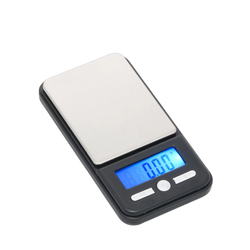
If your pocket scale’s reading changes when a fan starts, a door opens, or you lean over the platform, airflow may be disturbing the measurement.
Moving air can exert small forces on the weighing platform, container, or sample. Sensitive scales may display those changes even when the breeze is difficult to feel.
Reduce drafts before attempting calibration. Then repeat measurements under controlled conditions to see whether the setup improves.
Check your model’s American Weigh Scales product manual for operating conditions, startup instructions, and any supplied draft shield.
Quick Airflow Troubleshooting Checklist
- Move away from fans, windows, doors, and ventilation outlets.
- Use a firm, level support.
- Keep your face and hands away while the reading settles.
- Close the supplied draft shield, where applicable.
- Check that nothing touches the platform or container.
- Allow appropriate temperature acclimation.
- Compare repeated reference-weight readings.
- Investigate other causes if reducing drafts does not help.
1. Look for a Connection Between Air Movement and Readings
Observe when the display changes.
| What happens | What to investigate |
|---|---|
| Reading changes when air conditioning starts | Air reaching the weighing area |
| Display fluctuates beside a window | Outdoor drafts |
| Numbers move when you lean over the scale | Breathing or nearby movement |
| Results improve in a sheltered position | Environmental interference |
| A fan affects readings from across the table | Airflow, vibration, or both |
| Warm material produces a drifting reading | Temperature differences and convection |
Repeat the observation rather than relying on one measurement.
NIST’s guidance on sensitive scale environments identifies air movement and vibration as important installation concerns. Its Class II discussion provides useful environmental principles without implying that every pocket scale has that classification. NIST
2. Choose a Sheltered Weighing Location
Place the scale away from direct drafts. Also consider air redirected by walls, shelves, or nearby equipment.
A location outside the direct path of a vent may still receive moving air. Doorways and busy work areas can introduce repeated disturbances.
Keep the scale on a rigid, level surface. A sheltered location will not resolve movement from a flexible table.
Pass condition: The scale rests securely in a position with minimal air disturbance.
Maintain any ventilation required for the material being handled. If necessary airflow interferes with weighing, use a setup appropriate for those conditions.
For other possible causes of unstable readings, consult the AWScales product FAQ.
3. Reduce Movement Around the Platform
Place the sample gently, withdraw your hands, and wait for the reading to settle.
Avoid:
- Breathing directly over the load.
- Moving packaging above the platform.
- Waving tools around the weighing area.
- Holding the scale during measurement.
- Leaning on the supporting table.
Nearby movement can introduce airflow and vibration together. Keep the procedure consistent so you can compare results meaningfully.
Shimadzu’s guide to accurate weighing explains that performance depends on the environment, sample, container, and operating procedure as well as the instrument. www.shimadzu.com
4. Check the Draft Shield
If the scale includes a draft shield, install and operate it according to the manual.
Close its openings before recording a measurement, then allow the display to settle after loading.
| Check | What to confirm |
|---|---|
| Shield installation | Correctly fitted |
| Container clearance | No contact with the shield |
| Platform clearance | Nothing restricts movement |
| Doors or lid | Closed as instructed |
| Transport cover | Used only as the manual permits |
A protective carrying cover is not automatically a draft shield.
Do not rest a loose cover on the load or platform. That adds force rather than simply sheltering the measurement.
5. Check Temperature Differences
Air movement can occur without an obvious draft.
A warm sample heats nearby air and creates convection. A cold object can also disturb weighing conditions as it approaches room temperature.
Where appropriate for the material, allow the scale, container, and sample to reach similar temperatures within the model’s operating range.
NIST’s guidance on factors affecting weighing operations discusses thermal imbalance, convection, and positioning away from heating and cooling vents. nist.gov
Follow the model’s acclimation instructions rather than applying laboratory waiting periods to every consumer scale.
6. Rule Out Contact and Debris
Check that the container sits fully on the platform and touches nothing nearby.
A bowl leaning against the housing, material trapped around the platform, or contact with a lid can produce misleading results.
Follow the AWScales maintenance guidance when cleaning. Do not pry beneath the platform or press on it to test the mechanism.
Keep the combined container and sample weight within capacity, even after taring.
7. Run a Controlled Reference-Weight Check
Use an appropriate reference weight suited to the model.
- Start the scale according to its manual.
- Confirm that the unloaded reading settles at zero.
- Place the reference centrally.
- Wait for the reading to settle and record it.
- Remove the reference and check the return to zero.
- Repeat several times.
- Reduce one suspected airflow source and repeat the comparison.
Record the location and conditions alongside the results.
Do not blow onto the platform as a test. That deliberately applies force without establishing whether the scale meets specifications.
NIST’s overview of balance and scale uncertainty discusses air currents as a source of variation in scale indications. nvlpubs.nist.gov
Interpret the Results
| Result | Next action |
|---|---|
| Readings improve after reducing drafts | Keep the improved setup |
| Readings remain unstable | Check vibration, static, power, and contact |
| Readings repeat but miss the reference | Review specifications and calibration instructions |
| Scale fails to return to zero | Recheck setup and seek support |
A stable display alone does not establish accuracy. NIST’s guide to uncertainty for balances and scales explains why reference quality, repeatability, and other influences matter when assessing performance. www.nist.gov
8. Calibrate Only After Readings Become Repeatable
Calibration cannot remove drafts.
If adjustment is appropriate after the setup is stable, follow the model’s exact procedure and use its required reference weight. The AWScales calibration guide provides general background.
Avoid repeated adjustment attempts while the display fluctuates. Resolve the instability first.
9. Investigate Other Causes
If reducing airflow makes little difference, check:
- Vibration: Nearby equipment or a flexible support.
- Static: Electrostatic forces associated with containers or samples.
- Power: Battery warnings, fading, or unexpected resets.
- Sample changes: Evaporation, moisture absorption, or spills.
- Damage: A previous drop or excessive load.
METTLER TOLEDO’s electrostatic guidance explains that static can produce drifting or biased results, including readings that appear stable. www.mt.com
The AWScales support FAQs provide additional troubleshooting information.
Frequently Asked Questions
Can a ceiling fan affect a pocket scale?
Yes. Air reaching the platform or container can disturb sensitive measurements. Compare repeated reference-weight readings with the fan operating and stopped, where practical.
Will tare fix airflow interference?
No. Tare establishes a reference; it does not remove changing forces from air movement.
Should I put the scale inside a box?
Use a manufacturer-approved draft shield where available. An improvised enclosure may introduce contact, access, or temperature problems.
Does a draft shield stop vibration?
No. It primarily reduces air movement around the load. Vibration transmitted through the supporting surface requires separate attention.
When should I contact support?
Contact American Weigh Scales support if readings remain inconsistent after checking drafts, support, power, and platform clearance. Include the model, reference-weight value, repeated results, and whether changing locations helped.