
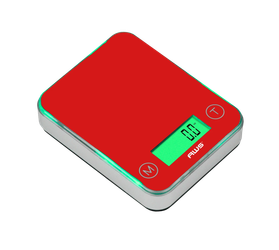
If your pocket scale’s numbers jump when someone walks past, you touch the table, or an appliance starts, vibration may be disturbing the measurement.
Movement can travel through the floor or supporting surface into the weighing mechanism. The displayed value may change even though the object remains unchanged.
Start with a rigid, level support and remove nearby sources of movement. Then compare repeated measurements before attempting calibration.
Check your model’s American Weigh Scales product manual for setup requirements, startup instructions, and performance specifications.
Quick Vibration Troubleshooting Checklist
- Place the scale on a firm, level surface.
- Confirm that it sits securely without rocking.
- Stop nearby vibrating equipment where practical.
- Keep hands and elbows off the support.
- Check platform and container clearance.
- Use the same loading method each time.
- Compare results in another stable location.
- Test with an appropriate reference weight.
- Consider calibration only after readings become repeatable.
1. Identify What Triggers the Display Change
Watch for a repeated connection between nearby activity and the reading.
| What happens | Possible explanation | First check |
|---|---|---|
| Numbers jump while you type | Movement through the desk | Pause typing during weighing |
| Reading changes with footsteps | Floor or furniture movement | Try a quieter location |
| Display fluctuates while equipment runs | Motor vibration through the support | Compare with equipment stopped |
| Reading settles after you lift your elbows | Pressure or movement on the table | Keep clear of the support |
| Scale rocks when a button is pressed | Uneven support or poor seating | Check the surface and feet |
| Another location produces better results | Original setup contributes to instability | Repeat the comparison |
These observations suggest a cause; they do not establish accuracy.
NIST’s guidance on sensitive scale environments identifies vibration, moving equipment, and heavy foot traffic as installation concerns. Its Class II discussion offers useful environmental principles without implying that every pocket scale has that classification. www.nist.gov
For other symptoms, consult the AWScales product FAQ.
2. Check the Supporting Surface
Use a rigid surface that does not flex, rock, or shift during ordinary activity.
Avoid placing the scale on soft fabric, upholstered furniture, an unstable tray, or a lightweight folding table. Do not hold a pocket scale while weighing unless it is specifically designed for that method.
Confirm that all intended feet contact the support. Follow the manual if the model includes leveling adjustments.
Pass condition: The scale rests securely and stays still during loading.
Should You Add a Rubber or Foam Mat?
Do not assume soft padding will improve performance. An unsuitable mat can allow tilting or rocking.
Start with a firm support. If vibration remains unavoidable, ask the manufacturer whether an isolation accessory suits the model and environment.
3. Separate the Scale From Running Equipment
Check for devices sharing the table, counter, shelf, or nearby floor:
- Coffee grinders and mixers.
- Fans and small motors.
- Printers.
- Workshop tools.
- Compressors.
- Washing machines.
Moving the scale a few inches may not help when the same structure transmits vibration.
Where practical, stop the suspected source and repeat the reference-weight check. If results improve, use a separate support or weigh while the equipment is idle.
Shimadzu’s guide to accurate weighing explains that results depend on controlling environmental and procedural influences as well as instrument performance. shimadzu.com
4. Keep Hands Off During Measurement
Place the load gently in the center, withdraw your hands, and wait for the reading to settle.
Avoid:
- Leaning on the table.
- Typing beside the scale.
- Moving tools on the same surface.
- Tapping the platform.
- Pressing controls repeatedly.
If another person shares the workbench, pause nearby tasks during weighing.
Pass condition: You can take the measurement without disturbing the support.
5. Check Platform Clearance
Contact with another object can transfer force and resemble vibration interference.
Confirm that the container does not touch the housing, lid, draft shield, wall, or surrounding objects. Check that cables do not pull on the load or accessories.
Inspect accessible areas for loose material. Follow the AWScales maintenance guidance when cleaning.
Do not pry beneath the platform or press on it to test the mechanism.
6. Check That the Load Is Suitable
The container and sample together must stay within capacity, even after taring.
Also consider the lower end of the weighing range. A scale may display fine increments without reliably measuring an equally small sample.
METTLER TOLEDO’s precision weighing guidance distinguishes maximum load from minimum sample requirements and emphasizes selecting equipment for the required measurement performance. METTLER TOLEDO
Do not assume every changing last digit indicates damage. Compare behavior with the model’s specifications and a suitable reference.
7. Compare Two Locations
Test the original position against another rigid, level support.
Keep the following unchanged:
- Reference weight.
- Selected unit.
- Loading position.
- Container, if used.
- Startup procedure.
- Time allowed for the reading to settle.
Follow the model’s acclimation instructions after moving it.
Better results in the second position indicate that the original setup contributes to the problem. They do not prove vibration is the only difference; airflow and temperature may also have changed.
8. Run a Repeatability Check
Use an appropriate reference weight suited to the scale and the range being assessed.
- Start with an empty platform.
- Confirm that the unloaded display settles at zero.
- Place the reference gently in the center.
- Record the settled reading.
- Remove the reference and check the return to zero.
- Repeat several times without changing the setup.
Do not deliberately shake the table. That introduces a disturbance without testing normal performance.
NIST’s guide to uncertainty for balances and scales discusses repeatability and other contributors to measurement performance. There is no single acceptable variation that applies to every pocket scale. www.nist.gov
Interpret the Results
| Result | Next action |
|---|---|
| Readings improve on another support | Keep the improved location |
| Readings change only while equipment runs | Separate weighing from that activity |
| Results repeat but miss the reference value | Check specifications and calibration instructions |
| Results remain inconsistent | Investigate additional causes |
| Scale does not return to zero | Recheck contact and seek support |
9. Calibrate Only After Stabilizing the Setup
Calibration cannot remove vibration from a table or floor.
On many consumer scales, the procedure labeled calibration adjusts the instrument using a specified weight. Movement can interfere with that procedure as well as ordinary weighing.
If results become repeatable but remain outside specification, follow the model’s adjustment instructions. The AWScales calibration guide provides general background.
A settled display does not establish accuracy. NIST’s overview of balance and scale uncertainty explains why multiple influences must be considered when evaluating results. nvlpubs.nist.gov
10. Rule Out Other Causes
If reducing vibration does not help, check drafts, temperature differences, power, sample changes, and static.
NIST’s guidance on factors affecting weighing operations discusses air currents, thermal imbalance, electrostatic effects, and handling as possible sources of error. www.nist.gov
A fan can introduce both airflow and vibration. Weak power may also require attention if the display fades, resets, or shows a battery warning.
Consult the AWScales support FAQs for further troubleshooting.
Frequently Asked Questions
Can footsteps affect a pocket scale?
Yes. Footsteps can transmit movement through flexible flooring and furniture. Compare measurements in another stable location.
Will a draft shield stop vibration?
No. It primarily reduces air movement around the load. Vibration through the support requires separate attention.
Can tare stop jumping readings?
No. Tare establishes a reference; it does not remove changing forces caused by movement.
Should I average inconsistent readings?
Do not average widely scattered results to hide an unresolved problem. Establish acceptable performance first.
When should I contact support?
Contact American Weigh Scales support if readings remain inconsistent after these checks. Include the model, reference-weight value, repeated readings, power source, and whether another location improved performance.