
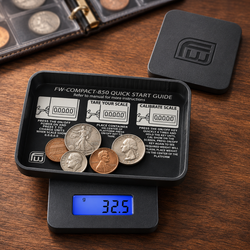
Pocket Scale Is Slow to Stabilize: Troubleshooting Checklist
A pocket scale is useful because you can carry it wherever a small weighing task takes you. That convenience also means the instrument may encounter an uneven desk, a busy workbench, an air-conditioning vent, or a container that barely fits. If your pocket scale is slow to stabilize, start by checking those conditions before changing calibration.
The symptom matters. A reading that settles after a short pause can be normal. A reading that continually rises, oscillates, or restarts needs a closer look. The correct expectation depends on the model, the load, and the conditions under which you use it.
This checklist helps you separate instrument behavior from environmental and sample effects. Work through the checks in order, record the result of each useful comparison, and change one condition at a time.
Begin with the American Weigh Scales product manual directory to identify your model’s startup procedure, operating limits, stability indicators, and any available settings. Instructions for a different pocket scale may not apply to yours.
Quick stabilization troubleshooting checklist
Use this list to organize the first checks. The sections below explain what each observation can tell you.
-
Read any warning and confirm its model-specific meaning.
-
Start on a hard, stable, level surface as instructed.
-
Check that the housing does not rock.
-
Move away from fans, vents, and open windows.
-
Reduce vibration from equipment and shared surfaces.
-
Complete startup with the platform empty.
-
Follow warmup and acclimatization instructions.
-
Use a centered container that clears the housing.
-
Stop adding material and remove your hands.
-
Compare the sample with a suitable reference weight.
-
Check battery warnings and approved power requirements.
-
Inspect accessible areas for debris.
-
Review documented response settings, if available.
-
Seek support if a controlled reference test still fails.
Do not use repeated tare presses as a substitute for stability. Tare changes the displayed reference; it does not stop a changing force.
Check 1: Define what “slow” means for your model
There is no universal settling time for every pocket scale. Resolution, design, operating settings, load placement, and conditions all influence the response.
Look for a stabilization specification or operating instruction in the manual. If the model provides a stability symbol, learn what it indicates and when a measurement should be recorded.
Compare current behavior with previous use under similar conditions. A new delay with the same container, location, and reference is more informative than comparing two unrelated scales.
Avoid judging performance while material is still being dispensed. The instrument is responding to a changing load, so the final reading cannot be expected yet.
Record the observed delay and display pattern without inventing a pass threshold. Model specifications and the requirements of your task determine whether the result is suitable.
Check 2: Distinguish settling from drift and restarting
Watch the display after gently placing a stable object on the platform. Does it approach a value and settle, steadily trend in one direction, jump unpredictably, or repeat its startup sequence?
These patterns suggest different next checks. A restart points toward power or operating-state problems; a gradual trend may involve the sample, temperature, environment, or instrument.
Observe the empty platform too. If the display remains steady empty but changes with one particular container, focus on that arrangement before assuming a general fault.
For related changing-number symptoms, use the AWScales pocket scale keeps changing checklist.
A short video can preserve the pattern for support. Film without touching the work surface and show whether an item is present.
Check 3: Replace the improvised weighing surface
A pocket scale may fit on your lap, a toolbox lid, or a folded cloth, but those supports can move. Use a hard surface that holds the instrument securely.
Check all intended feet and look for a cable, crumb, or accessory trapped underneath. A small obstruction can make the housing rock when a load is placed.
Do not weigh while holding the scale in your hand unless the product is designed for that operation. Hand movement and changing angle introduce additional forces.
Compare with another suitable tabletop while keeping the reference and procedure unchanged. A consistent improvement helps identify the support surface as a contributing factor.
Adam Equipment’s troubleshooting guidance includes checking level placement and basic operating conditions before seeking further service.
Check 4: Stop movement on the shared table
A desk can transmit disturbances from typing, writing, sorting items, opening drawers, or leaning against its edge. The scale may react even when nobody touches its housing.
Place the reference, remove your hands, and pause other work on the surface. Observe whether the reading settles differently.
Check equipment such as grinders, mixers, printers, and fans. Their operation can introduce vibration through a shared bench or floor.
Where safe and appropriate, compare operation with the suspected disturbance absent. Do not disconnect essential equipment merely to test a scale.
If the application needs tighter vibration control than the location permits, choose a more suitable workstation. A soft pad under the instrument can make support less stable rather than solve the problem.
Check 5: Check airflow at platform height
An air-conditioning vent does not need to produce an obvious breeze to disturb sensitive weighing. Open windows, desk fans, and movement nearby can also matter.
Look at where the platform sits relative to airflow, rather than only checking the room in general. A light container with a broad surface can respond differently from a compact reference weight.
Move the scale away from the suspected source and repeat the test. Keep the load and startup procedure the same.
If your model includes a draft shield, use it as instructed. Avoid improvised coverings that touch the pan, trap heat, or block required ventilation.
METTLER TOLEDO’s analytical weighing guidance explains the importance of protecting sensitive measurements from drafts and vibration.
Check 6: Give a recently moved scale time to adjust
Portable instruments can move between a vehicle, storage cabinet, air-conditioned room, and warmer workspace. Temperature differences deserve attention when behavior changes after transport.
Place the scale in its intended operating location and follow the model’s acclimatization instructions. Also complete any powered warmup the manual requires.
Do not borrow an arbitrary waiting time from a laboratory balance with different specifications. The appropriate procedure is specific to the instrument.
Keep the scale away from direct sunlight, heaters, and rapidly changing ventilation. A surface that warms during the session creates another variable.
If a reference behaves normally after the scale has adjusted to the location, record the improvement. Build the appropriate preparation time into future weighing sessions.
Check 7: Start with an empty platform
Remove the container and loose accessories before startup unless the manual specifically instructs otherwise. Let the normal display check and initialization finish.
Confirm the expected ready state before adding a load. Pressing controls during startup can complicate your interpretation of the result.
If the empty display does not settle, continue with the environment, power, and accessible platform checks. The sample cannot explain a problem observed before it is added.
If startup finishes normally, introduce one stable object and observe the response. This creates a clearer comparison than beginning with a filled container.
Do not confuse a negative value from stored tare with unstable startup. Follow the documented procedure to clear tare and establish the intended empty-platform reference.
Check 8: Choose a container that fits properly
A tray should sit securely on the weighing platform and clear the surrounding housing. A container that bridges the platform and case can transfer force through an unintended path.
Inspect from the side and underneath the edges without pressing on the instrument. Contact that is difficult to see from above can still affect the measurement.
Try a smaller, rigid container under the same conditions. If it settles more consistently, investigate the fit and base of the original container.
Keep the container away from walls, cables, packaging, and tools. Its contents must be supported entirely through the scale’s intended weighing surface.
Do not recalibrate to compensate for a bowl touching the worktop. Correct the physical arrangement first.
Check 9: Place the load gently and near the center
Dropping a reference or tapping material into a container can disturb the instrument. Set the load down carefully rather than creating a shock and then timing the recovery.
Use the placement instructions in the manual. For a typical platform comparison, a stable object near the center gives you a repeatable starting point.
After placing it, remove your hands from the scale and table. A finger left against the container or housing can change the force without obvious movement.
Do not repeatedly reposition the object while waiting for stability. Each adjustment creates a new disturbance.
If the scale behaves very differently with slight placement changes under correct use, record the pattern and ask support to assess it rather than attempting internal adjustments.
Check 10: Stop sample movement before reading
Loose beads can roll, liquid can slosh, and a flexible bag can shift after placement. The reading may continue changing because the load distribution or applied forces are changing.
Use a suitable container, allow movement to stop, and keep utensils clear. Stop dispensing before deciding whether the instrument can stabilize.
Some tasks inherently involve moving loads. Check whether your model supports the application instead of assuming ordinary static weighing is sufficient.
Compare the troublesome sample with a rigid reference. A normal reference response suggests that sample handling deserves further investigation.
Avoid repeated zeroing during motion. It can conceal the history of the displayed value without making the measurement more dependable.
Check 11: Compare sample and room temperature
A recently warmed or chilled container can behave differently from a room-temperature reference during sensitive weighing. Temperature differences can affect the measurement conditions.
For troubleshooting, use a dry reference already within the permitted ambient conditions. Compare its response with the original item.
Do not place a hot container on the platform unless the product permits it. Follow the task’s sample-handling requirements rather than improvising.
METTLER TOLEDO’s guidance on avoiding weighing errors highlights acclimatization and environmental control as practical considerations.
If the problem occurs only with warm or cold items, note that distinction. It helps separate general scale behavior from a sample-specific issue.
Check 12: Consider whether the sample mass is changing
A reading can trend because the material is losing or gaining mass. Evaporation, moisture exchange, or material leaving the container can make a final static result difficult.
Check for visible leaks, spilling, dust loss, and changes introduced by the process. Do not assume an unmoving container holds an unchanging sample.
Use the required sample procedure for your application. Altering a sample simply to obtain a calmer display may compromise the purpose of the measurement.
Compare with a suitable stable reference under the same conditions. If the reference settles normally, investigate the sample and handling process.
Record when the trend begins and whether it continues after a longer pause. The direction and consistency of change can help support interpret the pattern.
Check 13: Consider static in fine-resolution work
Static electricity can affect some sensitive measurements, especially with certain lightweight containers and materials. It is one possibility after simpler causes have been checked.
Compare a different suitable container without changing the sample procedure unnecessarily. Look for a repeatable difference rather than assuming that plastic always causes the issue.
Adam Equipment’s guidance on setting up a weighing space discusses static as a potential contributor to drift.
Use approved static-control methods appropriate to the instrument and task. Do not spray household products onto the platform or sample.
If the application requires specialized control, ask for suitable equipment advice. A general pocket scale checklist cannot establish the adequacy of a precision laboratory procedure.
Check 14: Resolve low-power warnings
If the screen dims unexpectedly, restarts, switches off, or shows a battery warning, investigate power before interpreting the behavior as slow settling.
Install a fresh, matching set of the specified removable batteries, following every polarity marking. For rechargeable models, use the documented charging procedure.
Energizer’s battery care guidance explains correct battery selection and avoiding mixed battery sets.
Inspect the accessible compartment for poor seating, leakage, or damage. Do not use foil or other makeshift spacers to improve contact.
Once power is dependable, repeat the same reference test. If restarting stops but the number still wanders, treat the remaining symptom separately.
Check 15: Inspect accessible platform clearance
Powder, crumbs, packaging fragments, and residue can collect around a small pan. They may interfere with movement or contact the housing.
Switch the scale off and inspect accessible areas. Remove only the accessories identified as removable in the instructions.
Clean using the approved method and allow the instrument to dry as required. Do not pour liquid into gaps or pry up the platform.
Check the underside and feet at the same time. Debris there can create a support problem even when the top of the scale looks clean.
Consult the AWScales maintenance guidance alongside the model’s care instructions, then restart empty and compare operation.
Check 16: Confirm capacity and the correct mode
Include the container, contents, and every accessory in the gross load. Tare does not remove physical weight or restore the full capacity allowance.
If an overload warning appears, remove the load immediately and follow the manual. Waiting longer is not an overload remedy.
Also confirm ordinary weighing mode. A hold function or another application can make the display behave differently from a live weight reading.
Select a supported unit you can interpret clearly. A unit change alters how increments appear, which can make casual comparisons misleading.
Do not expect tiny additions below the instrument’s suitable measurement capability to behave like larger loads. Readability alone does not establish fitness for every small-quantity task.
Check 17: Review documented response settings
Some scales provide filtering or stability settings; many simple pocket models do not. Only use adjustments documented for your exact model.
If settings exist, record the current values before changing them. A calmer display and a faster response may involve tradeoffs, depending on the design.
Do not copy a hidden menu sequence from a different instrument. Avoid service settings intended for technicians.
Improve the support, airflow, and load arrangement before changing a response criterion. A different display setting does not remove the source of a disturbance.
If the delay began after someone changed a menu, that history is useful. Restore only the documented configuration appropriate to your task.
Run a repeatable reference test
Choose a suitable reference weight within capacity and follow the model’s startup requirements. Keep conditions unchanged while establishing a baseline.
-
Start with the platform empty.
-
Observe whether the empty reading settles.
-
Place the reference gently near the center.
-
Remove hands from the scale and work surface.
-
Record the display pattern and ready indication.
-
Remove the reference and check the return toward zero.
-
Repeat a few times under the same conditions.
-
Change one suspected disturbance and compare again.
NIST’s overview of mass standard calibration explains the role of calibrated weights in supporting mass measurements.
A coin or packaged item is not a dependable precise reference merely because you expect a particular mass. Choose a reference suitable for the scale and the purpose of the check.
Match the result to your next check
|
Observed pattern |
Next check |
|---|---|
|
Empty and loaded readings both move |
Surface, airflow, power, platform condition |
|
Reference settles but sample does not |
Sample movement, temperature, moisture, container |
|
Reading changes when equipment runs |
Vibration and shared support |
|
Problem follows transport |
Acclimatization, startup, visible damage |
|
Smaller container works better |
Clearance, weight, stability, airflow exposure |
|
Screen repeats startup |
Power supply and accessible contacts |
|
Stable reference reads incorrectly |
Units, reference suitability, calibration |
|
Delay follows a configuration change |
Documented response and mode settings |
Treat these as investigation paths. Several causes can coexist, and a single improvement does not establish that every future measurement is suitable.
Keep calibration separate from stabilization
Calibration adjusts the measurement response against a specified reference. It does not stop a vibrating bench, dry a leaking container, or eliminate a draft.
Establish suitable conditions before attempting calibration. Use the exact model procedure and specified reference if adjustment is appropriate.
A steady number can still be wrong, while an unstable number may reflect changing conditions rather than a calibration problem. Check both behavior and reference performance.
The AWScales product FAQ provides additional operation and calibration guidance.
If the scale cannot settle sufficiently to complete its normal checks, contact support rather than repeatedly recalibrating. Uncontrolled adjustment can add confusion to the original issue.
Make portable weighing more consistent
Choose a regular stable location whenever possible. Keep the same suitable container and allow the instrument to complete its preparation before a session.
Transport the scale with its intended protection and keep other items from pressing on the platform or controls. Check the setup again after moving it.
Record useful changes such as a new desk, different ventilation, replacement container, or altered settings. These details help explain a new delay.
The AWScales Knowledge Center brings together additional setup and operating resources.
If your task exceeds the instrument’s capacity, platform fit, or suitable measurement range, compare the specifications in the AWScales pocket scale range before selecting another model.
When to contact American Weigh Scales
Seek support when a suitable reference remains unstable after checking the environment, startup, power, and accessible clearance.
Also seek help if the problem followed a fall, overload, spill, or visible damage. Keep the main housing closed and avoid adjusting the weighing mechanism.
Prepare the model number, power source, selected unit, reference details, container arrangement, and test observations. Describe whether the digits drift, oscillate, jump, or restart.
Use the American Weigh Scales contact page for model-specific assistance. A brief video and a record of one-variable comparisons can make the assessment more productive.
Frequently asked questions
How long should a pocket scale take to stabilize?
Use the model’s specifications and operating instructions. There is no single correct time for every pocket scale, load, and environment.
Why do the numbers move when my hands are away?
Check drafts, vibration, sample changes, temperature differences, static, and external contact. Hands are only one possible source of changing force.
Will pressing tare make the reading settle?
Tare changes the displayed reference. It does not remove movement, airflow, vibration, or a changing sample.
Should I buy a more sensitive scale?
More sensitivity does not automatically solve instability and can demand better environmental control. Match the instrument to the task and location.
Why does a test weight settle but my material does not?
Investigate the container, sample motion, temperature, moisture exchange, and possible static effects. The comparison points toward the sample or procedure.
Is the scale broken if it remains slow?
Not necessarily. Complete the controlled checks and obtain model-specific support. Persistent problems under suitable conditions may require service assessment.
Finish with a dependable measurement routine
When your pocket scale is slow to stabilize, begin with repeatable conditions: firm support, controlled airflow, dependable power, and a centered load that fits properly.
Compare empty and reference behavior, change one factor at a time, and record the result. A clearer understanding of the delay is more useful than repeated zeroing or an arbitrary attempt to make every reading instant.