
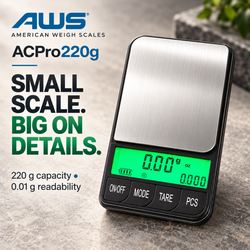
If your pocket scale shows negative weight, check the tare reference first. Removing a tray or container after pressing tare can produce a minus reading even when the scale is working normally.
A negative number that appears without an obvious reason, keeps changing or remains after the correct restart procedure needs further investigation.
Start with the correct platform setup and a stable empty zero. Do not assume that a minus sign automatically means calibration is needed.
Quick Negative-Weight Checklist
| Check | What to do | What it helps identify |
|---|---|---|
| Tare history | Check whether a tray or item was tared and removed | Normal negative indication |
| Startup | Restart with nothing being weighed, as instructed | An incorrect startup reference |
| Required components | Confirm the weighing pan is fitted correctly | A missing or displaced component |
| Display behavior | Observe whether the negative value is stable or changing | Reference offset versus drift |
| Placement | Check container and platform clearance | Outside contact |
| Environment | Use a firm surface away from drafts and vibration | Unstable conditions |
| Power | Check batteries or charge | Unreliable operation |
| Reference | Test an appropriate known weight | Whether performance is within specifications |
The AWS product FAQ provides additional guidance on tare and operating behavior.
1. Check Whether You Removed a Tared Tray
Tare establishes the load currently on the platform as the displayed reference.
For example:
- Place a 20g tray on the scale.
- Press tare and wait for zero.
- Remove the tray.
- The display may show approximately −20g.
The reading indicates a reduction from the reference point. It does not mean the tray has negative mass.
What to Do
If you want to weigh contents in the same tray, replace it and continue according to the normal procedure.
If you want to weigh directly on the platform, remove the tray and use the documented empty-platform zeroing procedure.
NIST’s weighing and scales FAQs provides background on tare and related weighing concepts. www.nist.gov
2. Restart With the Correct Platform Setup
Some pocket scales establish an initial zero during startup. If an item is present then, removing it afterward may produce a negative reading. Other models may display an error instead.
Try this sequence:
- Remove the item and weighing container.
- Leave required platform components in place.
- Turn the scale off.
- Place it on a firm, level table.
- Restart normally.
- Wait for initialization to finish before adding a load.
Follow the instructions for your exact model in the AWS product manuals.
Avoid undocumented reset combinations or procedures intended for another scale.
3. Confirm That Required Parts Are Fitted
If your scale has a removable weighing pan, taking it off after zeroing reduces the load below the reference.
Check that any required pan is correctly installed before startup.
Also distinguish between:
- A weighing pan required for normal operation
- An optional container that should be tared
- A protective cover intended for storage
Do not pull up permanent platform parts or add random objects to compensate for a negative display.
4. Distinguish a Stable Minus Reading From Drift
A steady negative number after removing a tared tray is different from a reading that gradually moves below zero.
| Pattern | What to investigate |
|---|---|
| Stable minus reading after tray removal | Tare reference |
| Minus reading after loaded startup | Initial zero |
| Reading slowly becomes more negative | Temperature, static, interference or another drift source |
| Reading changes when the tray moves | Placement or outside contact |
| Problem began after an impact | Possible damage |
Do not repeatedly press tare to hide ongoing drift. Correct the conditions before relying on measurements.
5. Check Platform and Container Clearance
The platform must support the complete load without unintended contact.
Look for:
- A tray resting on the housing
- A bag touching the table
- A container leaning against another object
- A cable pulling on the item
- A cover pressing against the platform
- Debris around accessible platform edges
Turn the scale off before cleaning and follow the manufacturer’s instructions.
Do not pry up the platform, insert tools underneath it or bend it into position. Consult the AWS maintenance guide for care and storage advice.
6. Stabilize the Environment
Pocket scales are portable, but they still need suitable operating conditions.
Place the scale on a sturdy table. Move away from fans, open windows, air-conditioning vents and vibrating appliances.
Allow the scale to reach its permitted operating temperature, especially after transport from a hot or cold location. Follow any warm-up instructions.
NIST’s guidance for sensitive weighing applications explains why stable support, airflow and vibration matter. www.nist.gov
7. Check Batteries or Charge
Investigate power if negative readings occur alongside flickering, resets, intermittent operation or a low-battery warning.
Use the specified batteries or charging equipment. For replaceable batteries:
- Turn the scale off.
- Replace the complete set with fresh, matching batteries.
- Check polarity.
- Secure the cover.
- Restart normally.
Energizer’s battery-care guidance advises against mixing old and new batteries or different battery types. energizer.com
Battery replacement does not automatically require calibration on every model.
8. Verify Normal Weighing Performance
Once the empty reading is stable at zero, test an appropriate reference weight.
- Select ordinary weighing mode.
- Confirm the intended unit.
- Place the reference gently in the center.
- Wait for the reading to settle.
- Record the result.
- Remove the reference.
- Check return to zero.
Keep the reference within capacity and the model’s appropriate operating range.
| Result | Next step |
|---|---|
| Reference reads correctly and returns to zero | Original negative reading may have been a reference issue |
| Reference produces a stable incorrect result | Review calibration guidance |
| Reading changes continuously | Investigate conditions and possible faults |
| Scale cannot establish empty zero | Contact support after permitted checks |
NIST’s guide to uncertainty for balances and scales discusses reference quality, repeatability and other measurement influences. www.nist.gov
Use a Suitable Reference
Do not substitute a household object with an approximate weight for the manufacturer-specified calibration mass.
The U.S. Mint publishes nominal coin specifications, but an individual coin’s condition and manufacturing tolerance matter. A coin is not an equivalent calibration reference. www.usmint.gov
9. Calibrate Only When Appropriate
A negative indication caused by removing a tared container does not require calibration.
Calibration may be appropriate when the scale gives a stable result outside its stated tolerance after setup, power and reference problems have been ruled out.
Follow the exact model’s instructions and use the specified weight. Read the AWS guide on how to calibrate a digital scale before proceeding.
Calibration cannot repair a damaged sensor or eliminate outside contact.
10. Know When to Contact Support
Seek assistance if:
- The empty platform will not hold zero.
- A suitable reference produces unexpected negative results.
- The problem persists after the documented startup procedure.
- The platform is visibly tilted or damaged.
- The issue began after a drop, overload or spill.
The AWS scale FAQs provides further troubleshooting guidance.
Contact American Weigh Scales support with the model number, exact display behavior, reference weight and steps already completed.
If the scale determines a sale price by weight, do not rely on uncertain readings. NIST Handbook 44 contains technical requirements for applicable commercial weighing devices; state and local requirements also matter. www.nist.gov
Frequently Asked Questions
Why does my pocket scale show negative weight with nothing on it?
A tray or item may have been included in the tare or startup reference and then removed. If that does not explain it, check drift, platform clearance and the manual.
Is a minus sign always an error?
No. It can be a normal indication that the load is below the current reference.
Should I press tare to clear it?
Use the documented procedure with the correct platform setup. Do not repeatedly zero away a reading that continues changing.
Can removing the weighing pan cause a negative number?
Yes, if the pan was part of the established reference. Refit required components as instructed before restarting.
Does negative weight mean the sensor is broken?
Not necessarily. Rule out tare, startup, missing components and operating conditions first. Persistent problems require model-specific support.