
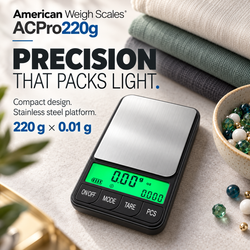
If your pocket scale shows ounces when you need grams, check the unit setting before attempting calibration. An accidental button press or a remembered setting can make the same object display a very different number.
Read the unit symbol beside the measurement, then use the documented control to select the intended unit. Changing units converts the measurement; it does not necessarily indicate a weighing fault.
Start with your model’s American Weigh Scales product manual to confirm supported units and button functions.
Quick Wrong-Unit Checklist
- Read the unit symbol beside the number.
- Confirm which unit your task requires.
- Check that the model supports that unit.
- Find the correct MODE or UNIT control.
- Return to normal weighing mode before changing units.
- Select the intended symbol.
- Check whether the setting remains after restarting.
- Verify operation with an appropriate reference weight.
1. Identify the Current Unit
Do not interpret the number without its symbol.
| Symbol | Unit | Common confusion |
|---|---|---|
| g | Gram | Different from grain |
| mg | Milligram | 1,000 mg equals 1 g |
| oz | Usually avoirdupois ounce | Different from troy ounce |
| ozt or oz t | Troy ounce | Not interchangeable with oz |
| ct | Metric carat | Different from gold karat |
| gn | Grain | Not an abbreviation for gram |
| dwt | Pennyweight | A separate mass unit |
| kg | Kilogram | 1 kg equals 1,000 g |
Available units and abbreviations vary by model. The NIST unit-conversion tables provide authoritative conversion factors for interpreting these units. NIST
If the symbol is incomplete or unreadable, investigate the display rather than guessing.
2. Confirm That Your Scale Supports the Desired Unit
A pocket scale may support grams and ounces without offering milligrams, carats, grains, or pennyweight.
Also distinguish display units from readability. A scale showing grams to three decimal places may measure in 0.001 g increments without providing a separate mg mode.
For example:
0.025 g = 25 mg
Selecting another unit does not add measurement capability.
Consult the AWScales product FAQ for additional explanations of units and operating controls.
3. Find the Correct Unit Button
The control may be labeled:
- MODE
- UNIT or UNITS
- M
- A shared symbol or secondary function
Follow the instructions for your exact model. A brief press and a long press may perform different actions.
For example, the AWS-Series manual specifies the MODE key for changing units. It also lists different unit options for different models within the series. Those instructions should not be applied automatically to every pocket scale. awscales.com
Pass condition: You have identified the documented unit-selection control.
4. Return to Normal Weighing Mode
Before cycling through units, confirm that the scale is displaying an ordinary weight reading.
A counting application, calibration prompt, or another operating mode may use the buttons differently.
Remove the load if instructed and follow the manual to return to normal weighing. Avoid undocumented reset sequences or service menus.
Then select the desired unit and check the symbol carefully.
5. Check the Most Common Unit Mix-Ups
Grams Versus Grains
The symbols g and gn can look similar on a small screen, but they represent different masses.
1 grain = 0.06479891 g
NIST’s general tables of measurement units document the relationships between metric and customary units. www.nist.gov
Ounces Versus Troy Ounces
A troy ounce is heavier than an ordinary avoirdupois ounce.
| Unit | Approximate equivalent |
|---|---|
| 1 avoirdupois ounce | 28.3495 g |
| 1 troy ounce | 31.1035 g |
The Royal Mint’s troy-ounce explanation describes this distinction. Check for oz versus ozt before comparing results. www.royalmint.com
Carats Versus Grams
1 metric carat = 0.2 g
A 1 g object therefore corresponds to 5 ct. A larger numerical reading in carats can be a normal conversion.
GIA’s carat-weight guide also distinguishes carat mass from karat, which describes gold purity. gia.edu
6. Test Whether the Unit Setting Is Saved
Once you select the intended unit:
- Remove the load.
- Switch off the scale normally.
- Restart it.
- Check the unit symbol before weighing.
Some models remember the last unit used; others follow a default or configurable startup setting.
The AWS-Series manual states that the covered models retain the last unit used after switching off. Check your own manual before treating different behavior as a fault. awscales.com
The AWScales knowledge center provides further weighing terminology and conversion resources.
7. If the Unit Button Does Not Respond
Use the remaining symptom to choose the next check.
| Symptom | Next action |
|---|---|
| Nothing changes | Confirm the button, press duration, and operating mode |
| Desired unit never appears | Check the model’s supported units |
| Scale switches off | Review shared-button operation |
| Display resets unexpectedly | Check power |
| Symbol has missing segments | Investigate the display |
| Button is stuck or damaged | Stop forcing it and contact support |
If the display fades, resets, or shows a battery warning, install the specified fresh batteries. Energizer’s battery-care guidance recommends using the correct size and type and avoiding mixed old and new cells. energizer.com
For further operating questions, consult the AWScales support FAQs.
8. Verify the Reading Before Considering Calibration
After selecting the correct unit, check an appropriate reference weight under stable conditions.
Confirm that:
- The unloaded display settles at zero.
- The reference is within capacity.
- The reading uses the intended unit.
- Repeated results meet the model’s specifications.
Small differences between converted displays may reflect rounding. Changing units does not improve the scale’s underlying accuracy.
NIST’s guide to uncertainty for balances and scales explains why measurement performance involves more than the displayed decimal places. www.nist.gov
If readings are repeatable but consistently incorrect, follow the model’s adjustment instructions. The AWScales calibration guide provides general background.
Calibration does not select grams, repair a unit button, or add an unsupported mode.
Frequently Asked Questions
Why does my pocket scale keep returning to ounces?
It may remember the previous setting or use ounces as its startup default. Check the model’s instructions and test the documented selection procedure.
Does pressing tare change the unit?
Tare normally deducts a reference load. If the unit changes, check whether the control has multiple functions.
Can I convert the reading manually?
Yes, using the correct conversion factor. Conversion does not improve accuracy or overcome an unsuitable weighing range.
Why does the number change dramatically when I press MODE?
The scale may be expressing the same mass in a different unit. Read the symbol before interpreting the number.
When should I contact support?
Contact American Weigh Scales support if a supported unit cannot be selected or the controls behave differently from the manual. Include the model number, current symbol, desired unit, and button action tried.