
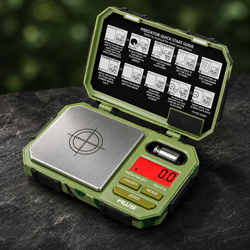
You weigh an object, turn the scale off, and restart it. The next reading is different. Perhaps the display now shows zero with the object still present, a minus sign appears when it is removed, or the first result takes longer to settle.
The practical question is: Why can a digital scale read differently after restarting?
A restart can change the operating baseline, active mode, unit, tare state, or preparation conditions. It does not automatically mean the instrument forgot its adjustment or became inaccurate. The exact startup behavior depends on the model and the arrangement present when power returns.
Start with the instructions for your exact instrument in the AWS product manuals. Confirm the required startup condition and which settings are retained. Compare like quantities under a consistent method before deciding that the power cycle caused a performance problem.
Restarting changes more than the screen
Turning an instrument off and on can initiate a startup sequence, restore settings, establish a reference, or require preparation. Moving it while doing so adds further variables.
A different number afterward therefore deserves an operating review before a mechanical diagnosis. Record what was on the platform, which controls were used, and whether the instrument was moved.
Do not assume a restart is a universal reset to one identical condition. A button that darkens the display can also represent a different state from fully disconnecting power, depending on the design.
The startup reference is model-specific
Some instruments establish a power-on zero under defined conditions. Others have different rules, limits, or warning behavior when a load is present.
A&D's SA-series operating manual illustrates a model-specific power-on zero and tare arrangement. Its thresholds and controls do not apply automatically to unrelated scales.
The relevant lesson is to check your own documentation. Do not copy a startup rule from another brand or assume every load is accepted as zero. Follow the prescribed unloaded arrangement, including permanent platform components and permitted accessories.
An object present during startup can explain zero
If the model incorporates a permitted initial load into its startup reference, the display may not show that object's gross mass afterward. Removing it can then produce a value below the established baseline.
That can be an operating consequence rather than evidence that the scale cannot detect the object. The actual behavior depends on the instrument's rules.
Remove unintended objects before starting where the manual requires it. Do not repeatedly power on with different loads to force a preferred number. Establish the correct baseline and then perform an appropriate check.
A negative value can reflect a stored reference
A minus sign indicates a result below the current baseline. It does not mean the removed object has negative physical mass.
A retained tare can explain this after restart on models that preserve it. A startup reference established with a load may create a similar-looking sequence under compatible operating rules.
Identify the baseline before interpreting the sign. Record what was on the platform when tare or startup occurred, then clear or restore the reference as directed. A negative indication alone does not diagnose damage or lost sensitivity.
Tare retention should not be guessed
Some instruments retain certain settings or values across power states; others clear them. Do not assume that tare behaves the same way on every model.
The AWS product FAQ explains common operating concepts, while the exact manual determines the actual clearing and startup sequence.
Keep net and gross quantities distinct. If the first observation was net contents and the second includes the vessel, the numbers should differ. Correct interpretation comes before a judgment about accuracy.
A smaller displayed number may use another unit
A restart may restore a default or retained weighing unit depending on the model. A result in ounces can look very different from the same quantity in grams.
Confirm the full unit label after startup. Grams, grains, ordinary ounces, troy ounces, and carats must not be confused.
Do not infer the unit from the approximate size of the number. Record the unit beside every observation and use an appropriate conversion only when needed. A different numerical expression is not automatically a different measured mass.
Normal weighing mode may need confirmation
Hold, counting, percentage, or other applications can represent a retained value or calculated quantity rather than an ordinary current mass indication.
Check the active mode and documented symbols. The screen may look familiar while describing a different quantity from the one measured before shutdown.
Return to the intended normal mode using the approved controls. Do not enter hidden menus or borrow button sequences from a visually similar model. If the documentation is unclear, ask the manufacturer what the display represents.
Display-off and power-disconnected can differ
Some laboratory instruments distinguish standby from complete power disconnection. Internal preparation conditions and available functions can differ between those states.
Do not generalize that behavior to every portable scale. A compact battery-powered instrument may have a different design and operating sequence.
Describe the actual event precisely: pressing the power key, automatic shutdown, removing batteries, unplugging an adapter, or a power interruption. Those details help determine which model-specific instructions apply and prevent a vague “restart” description from hiding relevant differences.
Preparation after power-on depends on the model
Some instruments require a defined powered preparation period before particular measurements or adjustment. Others have different readiness instructions.
Shimadzu's balance installation guidance identifies stabilization after power-on as relevant for its balances. That does not establish a universal waiting time for all digital scales.
Follow the exact manual and task procedure. Do not assume that one fixed delay suits every model, environment, and tolerance. A lit display or completed screen sequence is not automatically a statement that every demanding application is ready.
Room-temperature changes can accompany restart
A scale may restart after being taken from a cabinet, moved from a vehicle, or placed near a different heat source. Its thermal history can differ from the earlier observation.
Prepare it within the specified operating conditions. Keep direct sunlight, strong airflow, and nearby heat sources away where the model requires.
If results change gradually after restart, record timing and conditions. Do not immediately label the pattern a memory fault. The instrument and sample may simply be in a different physical state from the one present during the earlier measurement.
Handling the sample can change the comparison
Removing and returning an object can add contamination, lose particles, or change temperature. Liquids can evaporate during the interruption.
The same vessel may therefore contain a different quantity when the scale restarts. A new reading can reflect sample change rather than a change in the instrument.
Use a suitable stable reference for the initial investigation. For the actual material, follow an appropriate timing and transfer procedure. Define whether the comparison concerns the original state or the current one.
Moving the scale introduces support variables
Reaching for a switch, changing batteries, or reconnecting a cable can move a lightweight instrument. A foot may land on debris or a soft surface.
Restore suitable firm, level support with all intended feet seated. Keep cables clear so they do not pull or press on the housing.
Do not hold the scale down while recording the result. That adds force and can conceal rocking. Prepare the unloaded instrument again, then compare through a controlled method rather than assuming only the power state changed.
The platform arrangement must remain correct
A tray, mat, cover, or vessel may be removed while accessing batteries or controls. Incorrect reassembly can create contact or change the intended baseline.
Confirm that permanent components remain installed and user-removable parts are seated as instructed. Keep the platform clear of the housing and surroundings.
Do not pry up a fixed platform or force a component into place. A seam does not establish user-removable access. If the arrangement is unclear, ask before making changes that could affect the mechanism.
Resolve power warnings separately
A low-battery symbol, intermittent shutdown, dim display, or failed startup warrants checking the specified supply. Use the approved battery type and correct installation.
A changed result alone does not establish a battery fault. If replacing batteries, keep the remaining conditions consistent and record what changed.
Use only an approved adapter where the model supports one. Do not improvise voltage or connections. Damaged contacts, leakage, or persistent power failure may require manufacturer advice rather than another reset attempt.
Automatic shutdown is an operating feature
A scale may turn off during a long task according to its documented settings. That interruption can make the baseline and sample sequence harder to follow.
Learn the model's shutdown behavior before using it for a task that takes longer than ordinary brief weighing. Do not assume continuous monitoring is supported.
If documented settings permit a change, follow the instructions and verify the resulting method. Do not defeat an undocumented feature or repeatedly restart under a loaded arrangement simply to extend a task beyond the intended use.
A reset is not the same as calibration
Restoring defaults, restarting power, zeroing, taring, and sensitivity adjustment are different actions. Their exact controls and effects depend on the instrument.
Do not call every restart “recalibration.” It can create confusion when explaining what happened or interpreting a service recommendation.
Use the manufacturer's terms and record the actual sequence. If an approved adjustment is required, use the prescribed reference and preparation. A power cycle alone does not independently establish agreement with a known mass.
Avoid assuming adjustment was forgotten
Whether an instrument retains adjustment information depends on its design. An unfamiliar post-startup number does not prove that memory was erased.
Check the simpler operating explanations first: unit, mode, baseline, load present at startup, preparation, support, and sample condition.
If the manual's normal operation cannot explain the behavior, provide the manufacturer with the complete sequence. Do not repeatedly enter adjustment mode to compensate for a stored tare or mismatched quantity. That can hide the original issue while changing otherwise suitable performance.
Use a suitable reference for comparison
An adequately known and stable reference helps assess indication agreement before and after a controlled restart.
The NIST mass standards program describes formal mass calibration. Reference value, condition, and uncertainty should support the intended decision.
A household object can help notice behavior but cannot establish accuracy when its current mass is unknown. Do not adjust the instrument to match a remembered value. Preserve the original observations and use the model's prescribed reference for adjustment.
Check consistency as well as one matching value
A single observation after restart can agree while repeated settled values vary. Conversely, consistent readings can share a difference from the reference.
METTLER TOLEDO's routine testing guidance identifies sensitivity, repeatability, and eccentricity as separate considerations.
Choose checks relevant to the actual task. Do not keep restarting until one favorable value appears and report only that trial. A defined sequence provides stronger evidence than repeated attempts to produce agreement.
Use a controlled restart comparison
Follow any required procedure first. For ordinary troubleshooting, this framework makes the event easier to interpret:
-
Identify the model, mode, unit, and intended quantity.
-
Prepare the instrument in a suitable fixed location.
-
Establish the prescribed baseline with the correct platform arrangement.
-
Apply a suitable reference centrally and record the settled value.
-
Remove the reference and record unloaded return.
-
Shut down through the documented method.
-
Restart under the prescribed initial load condition.
-
Complete the required preparation and confirm settings.
-
Repeat the same reference observation.
-
Preserve the ordered results and any warnings.
This framework is not a formal calibration. It aims to compare defined operating states without introducing unnecessary movement, sample changes, or undocumented controls.
Record what happened before pressing more buttons
An unexpected indication is useful evidence. Note the symbol, unit, mode, load, power history, and actions already taken.
Repeatedly pressing tare, changing units, and restarting can erase the sequence needed to explain it. Pause long enough to preserve the relevant information.
If there is an electrical concern, liquid entry, or visible damage, follow the appropriate manufacturer guidance instead of continuing the comparison. An ordinary troubleshooting sequence is not a substitute for service after suspected damage.
A hypothetical example shows a baseline issue
Suppose a vessel indicates 40.0 g, is tared, and then receives 10.0 g of contents. After a power event, the display shows 50.0 g.
One possible explanation is that the later observation is gross rather than net because the earlier tare no longer applies. The actual model's behavior and sequence must confirm that explanation.
The example is not an AWS specification. It illustrates why a 40.0 g difference can be an interpretation issue rather than a sensitivity change. Identify the quantity before declaring the instrument inaccurate.
A different pattern may need further assessment
If units, mode, baseline, setup, and preparation are correct but reference observations still disagree beyond the relevant requirement, preserve the evidence.
Record whether the difference is consistent, scattered, or time-dependent. Include unloaded return and the exact power-off method.
Do not diagnose a memory component, load cell, or other internal part from the display alone. The record can justify manufacturer assessment without identifying the faulty mechanism. A clear concern is useful even when the cause remains unresolved.
Compare the result with the task's requirement
A small difference may have different consequences for a tiny addition and a large batch. Define the permitted error and smallest relevant quantity.
NIST's metrological traceability guidance explains that traceability alone does not establish fitness for purpose. The complete method and uncertainty must suit the measurement need.
Avoid a universal rule that any one-digit restart difference is acceptable. Use the applicable procedure and qualified assessment when required. A stable display and successful startup are not complete performance specifications.
Consider the full uncertainty context
Reference information, resolution, variability, baseline, corrections, and conditions can all contribute to a comparison. Before-and-after observations may also share influences.
NIST's guidance on combined standard uncertainty describes evaluating relevant contributions through a measurement model.
Do not simply add every datasheet value or assume all shared effects cancel. For formal decisions, use an appropriate assessment. Routine observations can identify a problem without supplying every input needed for a defensible uncertainty statement.
Maintain the instrument before final verification
Residue, moisture, a misplaced tray, or damage can affect readings on either side of a restart. Correct permitted setup issues before assessing performance.
Follow AWS maintenance guidance and the exact manual. Remove only user-removable components, keep liquids out of openings, and avoid forcing the mechanism.
Record cleaning or reassembly and prepare the instrument again afterward. A restored zero does not establish that every loaded result is acceptable. Verify the aspects relevant to the task rather than relying on appearance.
Choose equipment for the actual operating sequence
When comparing AWS pocket scales, consider capacity, readability, platform fit, normal task duration, power features, and documented performance.
A task requiring repeated long interruptions or continuous monitoring may need a different arrangement from brief portion weighing. Confirm suitability before purchasing.
Do not assume a replacement of the same type will resolve an operating-method mismatch. Define the problem and requirement first so the next choice addresses the actual limitation rather than only changing the hardware.
Keep startup instructions clear for shared use
Document the intended unit, normal mode, platform components, initial load condition, baseline sequence, and preparation. Include the appropriate response to automatic shutdown.
The AWS Knowledge Center provides related weighing information. Connect that guidance with the exact working procedure so users do not create different startup states unknowingly.
Review the method when equipment, vessels, conditions, or tolerance changes. Earlier verification may not cover a revised sequence. Clear instructions make post-restart comparisons easier to interpret across users.
Ask support with the complete sequence
Contact American Weigh Scales support when documented operation does not explain the behavior or controlled checks remain questionable.
Provide the model, power method, load present at shutdown and startup, settings, preparation, reference details, ordered readings, and required tolerance.
Ask for the approved next verification, adjustment, or service step. Do not open the housing or enter hidden settings to investigate presumed memory loss. A specific sequence supports a better assessment than a statement that restarting changes accuracy.
Frequently asked questions
Does restarting always clear tare?
No universal rule applies. Check the exact model's documented behavior and confirm what the displayed value represents afterward.
Does a different startup number mean calibration was lost?
Not necessarily. Units, mode, baseline, load condition, preparation, and sample changes can explain differences.
Should I start with a bowl on the platform?
Follow the model's prescribed initial condition. Do not assume startup automatically treats a vessel correctly.
Is standby the same as unplugging?
Not on every instrument. Describe the actual power event and follow the relevant instructions.
Should I recalibrate after every restart?
Use the model and task requirements. Repeated adjustment is not a substitute for correct operation and appropriate verification.
What if the difference persists with a suitable reference?
Preserve the controlled observations and contact support for the approved next step. Avoid diagnosing an internal component from the screen alone.
Restore the intended state before judging accuracy
A restart is an operating event, not a complete performance assessment. Identify the baseline, settings, preparation, and sample state before interpreting a changed number.
Use suitable references and a consistent sequence to evaluate the actual requirement. That separates ordinary startup behavior from concerns that need a better method or manufacturer attention.
For recurring tasks, keep a short startup checklist beside the instrument and identify who reviews unusual results. Preserve the original observation when a restart appears to solve a problem, because the temporary improvement does not independently identify its cause. Record any change to the power supply, vessel, location, or method so later comparisons remain meaningful. This makes repeated interruptions easier to investigate and prevents different users from unknowingly building a history of unlike measurements under one apparently consistent task.