
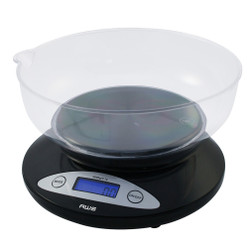
If your digital scale gives a different result each time you weigh the same item, it does not always mean the scale is defective. Inconsistent readings are often caused by the surface beneath the scale, weak batteries, air movement, temperature changes, improper calibration, overloading, or the way the item is positioned on the weighing platform.
Digital scales use sensitive electronic components to measure force. The more precise the scale, the more easily its readings can be affected by small environmental changes. A pocket scale that reads to 0.01 gram or a milligram scale that reads to 0.001 gram will naturally react to conditions that may have little visible effect on a standard kitchen scale.
The good news is that many fluctuating scale readings can be corrected in a few minutes. This guide explains why digital scales give different readings, how to identify the cause, and what to do before assuming you need a replacement.
Why Does My Scale Show a Different Weight Every Time?
The most common reason is an unstable weighing environment. A digital scale needs a hard, level surface, steady power, the correct operating temperature, and enough time to settle. If any of these conditions changes between measurements, the displayed weight may change too.
Common causes include:
-
Placing the scale on carpet, fabric, or an uneven counter
-
Moving the scale between readings
-
Drafts, fans, or air-conditioning vents
-
Vibration from appliances, footsteps, or machinery
-
Weak or incorrectly installed batteries
-
A scale that needs calibration
-
Dirt or material trapped around the weighing platform
-
An item placed off-center
-
Exceeding the scale's maximum capacity
-
Weighing an amount below the scale's usable range
-
Temperature or humidity changes
-
Electromagnetic interference from nearby electronics
-
Using the scale before it has stabilized
Start with the simplest possibilities. In many cases, relocating the scale to a stable surface, replacing the batteries, and repeating the measurement correctly resolves the problem.
1. The Scale Is on an Uneven or Unstable Surface
The surface underneath a digital scale is one of the biggest influences on its performance. The scale's load cell is designed to measure force vertically. When the base tilts, flexes, rocks, or sinks, that force may not be transferred consistently.
Avoid using a digital scale on:
-
Carpet
-
Upholstery
-
Beds or sofas
-
Towels or silicone mats
-
Flexible trays
-
Warped tables
-
Uneven tile or stone
-
A counter that vibrates or moves
Place the scale directly on a hard, flat, level surface. A solid desk, countertop, laboratory-style bench, or sturdy table is generally more reliable. Make sure all feet of the scale contact the surface evenly.
If moving the scale from one part of a counter to another changes the result, the counter may not be level or rigid enough. Test a second stable location before troubleshooting anything else.
2. You Are Moving the Scale Between Measurements
Picking up, sliding, or rotating a sensitive scale can affect its zero point. Even if the new surface looks similar, a slight change in level or pressure under the scale may produce a different reading.
For the most consistent results:
-
Choose one stable weighing location.
-
Set down the scale gently.
-
Turn it on without touching the platform.
-
Wait until the display shows zero.
-
Weigh the item in the center of the platform.
-
Leave the scale in place while repeating the test.
If you must transport a pocket scale, allow it to rest briefly after placing it on the new surface. A scale moved from a hot car, cold room, or travel bag may also need time to reach the surrounding temperature.
3. Air Movement Is Affecting the Reading
Air has force, and a sensitive weighing platform can detect it. Ceiling fans, air-conditioning vents, open windows, people walking past, and even breathing directly over the platform can make the last digit fluctuate.
This effect becomes more noticeable as readability becomes finer. A kitchen scale that reads in whole grams may appear stable in the same room where a 0.001-gram milligram scale visibly changes.
Turn off nearby fans, close windows, and move away from air vents. For very small samples, use a draft shield if the scale includes one. Close the shield before recording the result and avoid touching the table while the reading settles.
4. Vibrations Are Reaching the Scale
Digital scales can detect vibrations that you may not feel. Refrigerators, washing machines, speakers, HVAC equipment, nearby traffic, heavy footsteps, typing, and equipment on the same table can all disturb a sensitive reading.
If the display changes while someone walks through the room or while an appliance runs, vibration may be the cause. Move the scale to a separate, solid surface and wait for the environment to become still.
Do not place a precision scale on the same desk as a computer tower, printer, speaker, or machine with a moving motor. Avoid leaning on the table during measurement.
5. The Batteries Are Weak
Low battery power can cause slow startup, a dim display, unstable readings, failure to hold zero, or unexpected shutdowns. The scale may continue to turn on even when the remaining battery power is insufficient for consistent performance.
Replace all batteries with fresh batteries of the correct type. Do not mix:
-
New and used batteries
-
Different battery brands
-
Rechargeable and disposable batteries
-
Batteries with different charge levels
Check that each battery is installed in the correct direction and that the contacts are clean. If the scale supports an AC adapter, use only the voltage and adapter type specified by the manufacturer.
6. The Scale Needs to Be Calibrated
Calibration aligns the scale's displayed measurement with a known reference weight. A digital scale may require calibration after transportation, a significant temperature change, long-term storage, battery replacement, or exposure to excessive force.
Signs that calibration may be needed include:
-
A known weight consistently reads high or low
-
The scale returns to a similar incorrect result each time
-
Readings changed after the scale was moved
-
The display does not return cleanly to zero
-
The user manual or display indicates calibration is required
Use the exact calibration weight specified for the model. A random household object, coin, or food item is not a dependable calibration standard because its actual weight may differ from the expected value.
Calibration procedures vary. Some scales have a dedicated calibration button, while others require a particular sequence using the mode or unit key. Follow the instructions for your specific scale. Using the wrong calibration weight or procedure can make readings less accurate.
Calibration corrects the scale against a reference; it does not repair physical damage, an overloaded load cell, or a failing electronic component.
7. The Item Is Not Centered on the Platform
For the most repeatable result, place the item near the center of the weighing platform. An object positioned at the edge may distribute force differently, especially if it is large, unevenly shaped, or extends beyond the platform.
Make sure the item:
-
Sits securely without rocking
-
Does not touch the table or another object
-
Does not press against the display or scale housing
-
Does not hang from the platform
-
Fits within the scale's intended weighing area
If you use a bowl or tray, place it in the center before pressing tare. Add the material without shifting the container. If a large container blocks the display or touches the counter, use a scale with a larger platform.
8. The Scale Is Overloaded
Every digital scale has a maximum capacity. This limit includes the combined weight of the item and its container. Pressing tare changes the displayed number, but it does not remove the container's physical weight from the load cell.
For example, if a scale has a 500-gram capacity and you place a 300-gram bowl on it, only 200 grams of additional capacity remain after taring. Adding more may overload the scale even though the display began at zero.
Overloading may cause an error message, unstable readings, failure to return to zero, or permanent damage. Never press down on the weighing platform or store heavy objects on top of the scale.
If the expected total load is close to the maximum, choose a higher-capacity model. Regularly operating at the upper limit leaves little margin for the container, movement, or accidental pressure.
9. The Item Is Too Light for the Scale
A high-capacity scale may not reliably detect an extremely small item. Capacity and readability are different specifications: capacity is the maximum supported load, while readability is the smallest displayed increment. A scale may also have a minimum usable load below which results are less reliable.
A kitchen scale that reads to 1 gram is not the right tool for measuring hundredths of a gram. Similarly, a bathroom scale designed for body weight cannot reliably measure a piece of jewelry simply because it has a digital display.
Choose a scale whose capacity and readability match the item. For small quantities, use a pocket scale or milligram scale designed for that weight range.
10. Temperature Has Changed
Digital scale components can expand, contract, and respond differently as temperature changes. Moving a scale from a cold vehicle into a warm room and using it immediately may lead to drifting readings. Direct sunlight, heaters, hot cookware, and cold ingredients can also affect the weighing environment.
Allow the scale and the object being weighed to reach a stable room temperature when possible. Keep the scale away from:
-
Direct sunlight
-
Ovens and stovetops
-
Space heaters
-
Cold windows
-
Hot pans or containers
-
Air-conditioning vents
Do not place an extremely hot or cold object directly on a precision platform unless the scale is specifically designed for it. Use a suitable container and remain within the manufacturer's operating-temperature guidance.
11. Static Electricity Is Interfering
Static electricity can affect fine measurements, especially with powders, plastic containers, dry air, synthetic materials, and very precise scales. A charged object can exert a small force that causes the display to drift or behave unpredictably.
If static appears to be the problem, avoid rubbing plastic containers or materials immediately before weighing. Let the item rest, increase room humidity to a reasonable level if appropriate, and use containers suited to precision weighing. Commercial antistatic solutions may be helpful in professional environments, but they should be used according to their instructions.
12. Electromagnetic Interference Is Nearby
Phones, routers, radios, large motors, strong magnets, induction equipment, and other electronics may interfere with certain digital scales. The effect varies by scale design and environment.
If readings change only near a particular device, move the scale to another location and repeat the test. Keep strong magnets and magnetic objects away unless the scale is specifically designed for that application.
13. Material Is Trapped Around the Platform
Crumbs, powder, liquid, dust, or debris can become lodged beneath or around the weighing platform. If the platform rubs against the scale housing, it may not move freely, leading to inconsistent readings.
Turn off the scale and clean it according to the manufacturer's instructions. Use a soft, dry cloth for routine cleaning. Do not immerse the scale unless the model is explicitly rated for that type of exposure, and do not force or remove the platform unless the instructions permit it.
After cleaning, confirm that the platform sits correctly and does not touch nearby objects.
14. The Scale Has Not Finished Stabilizing
Some digital scales need a moment to establish zero and settle after weight is added. Recording the first number that flashes on the display may produce inconsistent results.
Turn on the scale on an empty platform and wait for zero. Add the item gently, then wait for the reading or stability indicator to settle. Avoid adding, removing, or rearranging material while trying to record the final weight.
For precision work, repeat the measurement using the same process each time. Consistent technique improves repeatability.
15. The Tare Function Is Being Used Incorrectly
Tare subtracts the weight currently on the platform and resets the display to zero. Problems can occur if you tare the scale before the container stabilizes, remove a tared container, or forget that its physical weight still counts toward maximum capacity.
To tare correctly:
-
Turn on the empty scale and wait for zero.
-
Place the empty container in the center.
-
Wait until its weight stabilizes.
-
Press the tare or zero button once.
-
Confirm the display returns to zero.
-
Add the item without moving the container.
When you remove the container, the scale may show a negative number equal to its weight. This is normal. Clear the tare or restart the scale before weighing a different item.
16. The Object Itself Is Changing Weight
Sometimes the scale is stable, but the object is not. Moisture can evaporate, warm food can release steam, cold objects can collect condensation, and absorbent materials can gain or lose moisture from the air.
Liquids may move inside a container, while live or flexible objects naturally shift. Freshly roasted coffee beans and other materials may also change slightly over time.
Use a closed container when appropriate, allow moving contents to settle, and compare readings within a short, controlled period. If the item changes temperature or moisture level between measurements, a small change may be real rather than a scale error.
How Much Variation Is Normal on a Digital Scale?
The answer depends on the scale's readability, tolerance, capacity, condition, and environment. A change in the final displayed digit may be more noticeable on a high-precision scale because it shows smaller increments.
For example, a 0.01-gram scale reveals changes that a 1-gram scale rounds away. That does not automatically mean the more precise scale is less reliable. It may simply be displaying environmental variation that the lower-resolution scale cannot show.
Check the product manual for accuracy or tolerance specifications. Readability should not be confused with guaranteed accuracy. A display that shows two or three decimal places does not mean every digit is exact under all conditions.
The most useful question is whether the scale produces repeatable results within its stated specifications when used correctly.
Quick Digital Scale Troubleshooting Checklist
If your scale keeps changing weight, follow these steps in order:
-
Move the scale to a hard, flat, level surface.
-
Turn off fans and eliminate drafts.
-
Separate the scale from appliances, speakers, and vibration.
-
Replace all batteries with fresh, matching batteries.
-
Clean the platform and the area around it.
-
Let the scale reach room temperature.
-
Turn it on with the platform completely empty.
-
Wait for the display to show zero.
-
Center the item and wait for the reading to stabilize.
-
Confirm the total load is within capacity.
-
Test with an appropriate certified or known calibration weight.
-
Calibrate using the model's exact instructions if necessary.
Repeat the test several times without moving the scale. Remove the test weight, wait for the display to return to zero, and place the weight back in the same position.
How to Test Whether Your Digital Scale Is Accurate
The best way to check a digital scale is with a proper calibration or check weight appropriate for its capacity and readability.
Repeatability Test
Place the test weight in the center, record the result, remove it, and allow the display to return to zero. Repeat this process five times without moving the scale. The readings should be reasonably consistent within the scale's stated specifications.
Corner-Load Test
For a basic check, place the same test weight near different areas of the platform without exceeding its limits. Large differences may indicate an uneven surface, interference with the platform, or a mechanical problem. Center placement should still be used for normal weighing.
Increasing-Load Test
If you have appropriate check weights, add them gradually and observe whether the displayed total increases consistently. Do not improvise with uncertain objects or exceed capacity.
These tests are useful for general troubleshooting, but regulated commercial, laboratory, medical, or legal-for-trade applications may require professional certification and approved equipment.
When Should You Recalibrate a Digital Scale?
Consider recalibration when:
-
The scale has been transported or dropped
-
It has been stored for a long period
-
The operating location or temperature changed significantly
-
A known reference weight reads consistently high or low
-
The manual recommends scheduled calibration
-
Batteries were replaced and the model's instructions recommend recalibration
-
The scale no longer returns accurately to zero
Do not repeatedly recalibrate a scale to chase a reading that is fluctuating because of drafts or vibration. Fix the environment first, then calibrate once the display is stable.
When Is It Time to Replace the Scale?
Troubleshooting cannot correct every problem. Replacement or professional service may be necessary if:
-
The platform or housing is cracked or bent
-
The scale was severely overloaded
-
It was dropped or exposed to liquid
-
Fresh batteries do not resolve power problems
-
Correct calibration repeatedly fails
-
A reference weight produces large, inconsistent results
-
The display has missing segments or random errors
-
The platform rubs against the housing
-
The reading continues to drift in a controlled environment
Before replacing the scale, review the warranty and contact the manufacturer's support team. American Weigh Scales offers a broad selection of pocket, kitchen, milligram, counting, postal, and specialty scales, making it easier to match the scale's capacity and readability to the intended task.
Choosing a Scale That Produces More Consistent Results
The best digital scale is not necessarily the one with the highest capacity or the most decimal places. It is the model whose measurement range fits your application.
Before buying, compare:
-
Readability: the smallest displayed increment
-
Capacity: the maximum total load, including containers
-
Platform size: enough room for the object without contact or overhang
-
Minimum usable load: important for very lightweight items
-
Supported units: such as grams, ounces, carats, grains, pennyweights, or troy ounces
-
Calibration requirements: including the correct calibration weight
-
Operating environment: household, workshop, travel, commercial, or precision use
-
Warranty and support: valuable if troubleshooting is needed
A high-capacity kitchen scale is ideal for food and bowls but may not be precise enough for gemstones. A 0.001-gram milligram scale is suitable for extremely small quantities but will be more sensitive to drafts, vibration, and static. A pocket scale provides a useful balance of portability and precision for jewelry, coins, coffee, crafts, and other small objects.
Frequently Asked Questions
Why does my digital scale change when I move it?
Moving the scale changes its surface, level, temperature, or zero point. Place it on a hard, stable surface, let it settle, turn it on with an empty platform, and recalibrate if the model's instructions require it.
Why does my scale keep going up and down?
Fluctuating numbers are commonly caused by drafts, vibration, weak batteries, static electricity, temperature changes, an unstable surface, or movement in the object being weighed. More precise scales show these effects more visibly.
Why does my scale show a different weight in different rooms?
Floors and counters differ in level and rigidity. Airflow, temperature, vibration, and nearby electronics may also vary by room. Test the scale on the same hard, level surface under controlled conditions.
Can low batteries make a scale inaccurate?
Yes. Weak batteries may cause unstable readings, slow response, a dim display, failure to hold zero, or shutdowns. Replace all batteries with fresh, matching batteries of the correct type.
How do I reset a digital scale?
For a basic reset, remove all weight, turn the scale off, place it on a stable surface, and restart it with an empty platform. Some models may require battery removal or a specific reset sequence. Follow the manual for your exact model.
How often should I calibrate my scale?
Calibration frequency depends on use, transportation, required precision, and the manufacturer's recommendation. Check calibration after moving the scale, a major temperature change, an overload, long-term storage, or when a known reference weight reads incorrectly.
Can I calibrate a scale with coins?
Coins are not ideal calibration weights. Their mass can vary due to manufacturing tolerances, wear, dirt, damage, and composition changes. Use the exact calibration weight specified by the scale manufacturer.
Why does my scale display a negative number?
A negative reading often appears after removing a container that was previously tared. Clear the tare or restart the scale with an empty platform. Persistent negative readings may indicate that the scale needs zeroing, cleaning, calibration, or service.
Why does my scale read zero with a small item on it?
The item may be below the scale's minimum usable load or smaller than its displayed increment. Use a scale designed for lighter weights and finer readability.
Does a more precise scale fluctuate more?
It may appear to. A high-precision scale displays smaller changes caused by air, vibration, static, temperature, and handling. A lower-resolution scale may experience the same minor forces but round them out of the displayed result.
Final Answer: Why Your Digital Scale Gives Different Readings
Most inconsistent digital scale readings are caused by the environment or setup rather than an immediate equipment failure. An uneven surface, drafts, vibration, weak batteries, temperature shifts, improper taring, off-center placement, or using the wrong scale for the weight range can all change the result.
Place the scale on a hard, level surface; protect it from air and vibration; replace weak batteries; center the item; stay within capacity; and test it with the correct reference weight. Calibrate only after the weighing environment is stable and always use the procedure specified for your model.
If the scale still produces large or unpredictable differences after these steps, it may have been overloaded, damaged, or reached the end of its service life. Selecting an American Weigh Scales model with the right capacity, readability, and platform size will give you a better foundation for consistent results.