
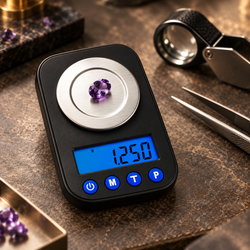
If your digital scale stays at zero when you add a tiny object, the sample may be below its detection threshold or reliable weighing range. Very slow additions, an unsuitable unit, drafts, vibration, or platform interference can also explain the behavior.
Start by checking the scale’s specifications and weighing conditions. Calibration cannot make a scale measure below its design limits.
Find your model in the American Weigh Scales product manuals to confirm its capacity, display increments, operating instructions, and any stated minimum load.
Readability Is Not the Minimum Reliable Weight
Readability is the smallest increment the scale displays. It does not guarantee that a sample equal to that increment can be measured accurately.
For example, a scale displaying 0.01 g increments may show changes of one hundredth of a gram. That alone does not establish that it can reliably measure a 0.01 g sample.
| Term | What it means |
|---|---|
| Capacity | Maximum permitted load |
| Readability | Smallest displayed weight increment |
| Minimum load | A lower operating limit, where specified |
| Repeatability | Agreement between repeated measurements under the same conditions |
| Minimum reliable sample weight | Smallest sample that meets the required measurement performance |
METTLER TOLEDO’s analytical balance guidance distinguishes minimum sample weight from readability and explains why small-sample performance requires more than a fine display. mt.com
Common Reasons a Scale Does Not Detect Small Weights
| What happens | Possible explanation | First check |
|---|---|---|
| Tiny object produces no change | Sample below the scale’s useful range | Review specifications |
| Larger reference weight registers normally | Small-load limitation or behavior near zero | Check low-range performance |
| Slowly added material disappears into zero | Zero tracking or filtering | Review model instructions |
| Reading changes after switching units | Different displayed increments | Confirm the intended unit |
| Display fluctuates around zero | Environmental interference | Reduce drafts and vibration |
| Scale ignores larger loads too | Power, contact, or instrument fault | Check setup and seek support |
These observations help narrow the cause. They do not establish accuracy by themselves.
For other operating symptoms, consult the AWScales product FAQ.
1. Check Whether the Scale Suits the Sample
Compare the amount you need to weigh with the model’s specifications.
A scale intended for parcels or meal portions may work correctly while failing to register a tiny bead or a few grains of material. Even within pocket scales, models differ substantially in readability and small-load performance.
Ask three questions:
- What is the smallest sample I need to measure?
- How much measurement error is acceptable?
- Does the manufacturer specify performance suitable for that sample?
Avoid relying on a universal rule such as “the minimum weight is always ten display divisions.” Suitable minimum weight depends on the instrument, conditions, and required accuracy.
A published SLAC laboratory equipment specification illustrates this distinction: its listed readability and minimum sample weight are separate specifications. Those values apply to that instrument, not every digital scale. Linac Coherent Light Source
2. Confirm the Weighing Unit
Check the unit symbol before interpreting the number.
A small object may produce a more visible numerical change in grams than in ounces, depending on the model’s display increments. However, changing units does not improve the underlying weighing mechanism.
For example:
0.01 g = 10 mg
A display reading 0.01 g does not mean the scale measures to 0.01 mg.
Use the unit appropriate to the task and confirm what the model actually supports. Do not confuse carats, grains, grams, and milligrams.
3. Start With a Stable Zero
Place the scale on a rigid, level support with the platform empty. Follow the startup procedure and allow the unloaded reading to settle.
Before adding the sample:
- Remove unintended contact around the platform.
- Move away from fans and ventilation outlets.
- Stop nearby vibrating equipment where practical.
- Keep your hands off the supporting surface.
- Follow any acclimation requirements after moving the scale.
NIST’s guidance on factors affecting weighing operations identifies air currents, temperature differences, electrostatic effects, and handling as potential sources of error. These influences become especially important when the sample is small. www.nist.gov
4. Check How the Sample Is Added
Some scales use automatic zero tracking to compensate for small changes near zero. Very gradual additions can sometimes be treated as drift rather than a load change.
If the manual permits, compare these two situations:
- Place a suitable, preassembled sample gently on the platform.
- Compare that behavior with very slow additions near zero.
A difference may suggest zero-tracking or filtering behavior. It does not prove the displayed value is accurate.
NIST’s guide to balance and scale uncertainty discusses influences relevant to weighing, including automatic-zero behavior during slow loading.
Do not drop material onto the platform, disable undocumented settings, or use hidden service menus. Follow the manufacturer’s recommended method for small additions.
5. Use a Suitable Container Correctly
A container can make small material easier to handle, but it does not improve the scale’s intrinsic accuracy.
Choose a lightweight container that fits fully on the platform. Allow its reading to settle, then tare according to the manual before adding the sample.
Remember:
- The container still counts toward capacity.
- Tare does not increase sensitivity.
- A heavy container does not automatically make a tiny sample measurable.
- Contact with the housing or another object can distort the result.
Adam Equipment’s tare guide explains how container subtraction works and why the load still reduces remaining capacity. adamequipment.com
Check for loose material around the platform and follow the AWScales maintenance guidance when cleaning.
6. Test With Appropriate Reference Weights
Use reference weights suitable for the model and the range being investigated.
Start with a weight comfortably within the specified operating range. If that registers correctly and repeatedly, investigate the lower range using appropriate references and manufacturer guidance.
Record:
| Check | What to observe |
|---|---|
| Unloaded display | Does it settle at zero? |
| Reference weight | Does the reading meet specifications? |
| Repeated placement | Are results consistent? |
| Removal | Does the scale return to zero? |
| Smaller reference | Does low-range performance meet the required specification? |
Do not use coins as substitutes for specified calibration weights.
NIST’s overview of balance and scale uncertainty explains why repeatability and other influences matter when assessing results. A single successful reading does not establish dependable small-sample performance. nvlpubs.nist.gov
7. Calibrate Only When Appropriate
If suitable reference weights produce repeatable but consistently incorrect readings, calibration or user adjustment may be appropriate.
Use the exact procedure and weight specified for the model. The AWScales calibration guide provides general background.
Calibration will not:
- Add finer display increments.
- Remove vibration or drafts.
- Repair platform interference.
- Guarantee reliable results below the scale’s useful range.
If the display fades, resets, or shows a power warning, address the specified power supply first.
When Do You Need a Different Scale?
Consider different equipment when your required sample size is below the current scale’s demonstrated capability.
Compare minimum sample requirements, repeatability, accuracy specifications, capacity, and environmental needs—not just decimal places.
The AWScales knowledge center can help you explore weighing terminology and equipment selection.
Frequently Asked Questions
Why does my scale detect a larger object but ignore a tiny one?
The tiny object may be below its detection threshold or reliable weighing range. Check the model’s specifications and low-range performance.
Does switching to milligrams make the scale more accurate?
No. Unit conversion changes how the measurement is expressed, not the instrument’s underlying capability.
Can I add a heavier object first to improve sensitivity?
A preload may change behavior near zero on some instruments, but it does not establish accurate small-sample performance. Use only a manufacturer-supported method and validate it with suitable references.
Why does the scale stay at zero while I add material slowly?
Automatic zero tracking or filtering may contribute. Check the manual and compare with a suitable sample placed gently as one load.
When should I contact support?
Contact American Weigh Scales support if the scale fails to detect appropriate reference weights within its specified range. Include the model, unit, sample or reference weight, loading method, and repeated results.