
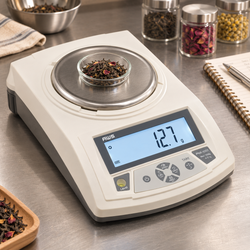
Why Your Digital Scale Shows an Error Code—and How to Fix It
An error code can appear when you switch on a digital scale, place an item on the platform, press tare, or attempt calibration. The message may be brief, unfamiliar, and easy to misread. Before assuming that the scale is broken, identify the exact code and what your model says it means.
Error messages are not universal. Similar-looking characters can describe different conditions on different instruments. A low-battery warning needs a different response from an overload warning, and a calibration prompt is not necessarily a fault.
The most useful approach is to record the message, remove any excessive load, check the correct instructions, and address the indicated condition. Avoid trying random button combinations or repeatedly recalibrating without understanding the problem.
This guide explains how to interpret common categories of scale warnings and work through practical troubleshooting. Start with the American Weigh Scales manual directory to find the instructions for the exact model on your product label.
Quick answer: What should you do when a scale displays an error?
Read the complete message and note when it appears. If overload is suspected, remove the load immediately. Otherwise, stop the weighing task and consult the model’s error-code instructions before making changes.
Check the basics appropriate to the message: correct power, an empty-platform startup, stable support, clear platform movement, and a load within capacity.
Use the documented corrective action, then repeat normal startup and check operation. Do not rely on measurements while a warning remains unresolved.
If the message persists after the relevant checks, contact support with the model number, exact code, and troubleshooting results. A photograph or short video can help distinguish similar display characters.
Why digital scales use error messages
A scale may display a warning when a detected condition prevents normal operation or falls outside an accepted range. The message gives you a starting point for investigation.
Possible categories include insufficient power, excessive load, instability, an unacceptable startup reference, or an unsuccessful calibration procedure. The available messages depend on the instrument.
A code usually describes what the scale detected, not every possible underlying cause. An instability warning, for example, can direct you toward the environment without proving that the table is the only issue.
Keep the condition and the cause separate. You may need several controlled checks to establish why the warning appeared.
Adam Equipment’s technical troubleshooting guidance likewise directs users to model-specific manuals for error explanations rather than a universal code list.
Record the exact message before restarting
Write down every visible letter, number, symbol, and separator. A small screen can make Lo, OL, and similar combinations easy to confuse.
Note whether the message appears during startup, after loading, after pressing a control, or inside a menu. The operating stage often matters as much as the characters.
If the display changes quickly, record a short video of one normal attempt. Include the screen and platform so the load state is clear.
Also record the selected unit and any recent change in setup. A new container, replacement battery, move between rooms, fall, or spill may explain why the behavior began.
Avoid repeating a potentially damaging action simply to capture it. You do not need to overload the scale again to prove that an overload warning occurred.
Common error categories and the first response
The examples below illustrate patterns found on some scales. They are not a universal dictionary, and the correct manual takes priority.
|
Display example or category |
Possible meaning on some models |
First response |
|---|---|---|
|
Lo or battery symbol |
Insufficient battery power |
Restore the specified power supply |
|
O_Ld or similar overload message |
Maximum load exceeded |
Remove the load immediately |
|
UnST or instability warning |
Reading cannot stabilize |
Check support, airflow, movement, and setup |
|
Zero or startup-range warning |
Starting reference outside an accepted range |
Check empty-platform startup and the manual |
|
Calibration failure message |
Procedure or reference not accepted |
Review the exact calibration instructions |
|
CAL during a documented procedure |
Calibration prompt or operating state |
Follow the model’s sequence |
|
Partial or unreadable characters |
Display or power problem |
Check power and seek support if unresolved |
Do not assign a specific meaning to an unfamiliar code by matching only one character. The same general fault category can also appear under different wording across products.
Low-battery warnings: Restore dependable power
If the manual identifies the message as low battery, begin with the specified power source. A screen that still illuminates does not establish that the scale has enough power for dependable use.
Switch off, remove the load, and replace removable batteries with a fresh, matching set of the required type. Follow every polarity marking and close the compartment securely.
Energizer’s battery care guidance explains correct battery selection and why old and new batteries should not be mixed.
For rechargeable models, follow the approved charging instructions. Do not assume a USB connector charges removable batteries, or substitute a random adapter because its plug fits.
Restart normally with an empty platform and check whether the warning clears. If not, verify the replacement specification, seating, and visible compartment condition before trying calibration.
Why fresh batteries may not clear a warning
“New” batteries from a drawer may have an uncertain history. For troubleshooting, use a fresh complete set from a dependable source rather than cells borrowed from another device.
Confirm that size, chemistry, quantity, and electrical requirements match the instrument. Physical fit alone does not establish suitability.
Inspect accessible contacts for obvious leakage, damage, or poor seating with the scale switched off. Do not bend contacts aggressively or insert foil to force a connection.
Duracell’s battery care recommendations provide additional guidance on correct installation and replacing used batteries together.
If a verified replacement set does not help, record the result and contact support. Repeated battery purchases are not a substitute for assessing a damaged holder or another fault.
Overload warnings: Remove the entire load
An overload warning requires removing excess weight, including the container and accessories. Do not press tare repeatedly in an attempt to clear it.
Tare changes the displayed reference; it does not remove physical weight from the platform. A zero net reading can coexist with a substantial gross load.
Check capacity on the model label or manual. A large platform does not necessarily mean a high load allowance, and different versions of a product can have different specifications.
Avoid stacking heavy objects on the scale during storage. Pressure from another item can exceed the intended load even when the instrument is switched off.
The AWScales support FAQs explain overload warnings and the importance of protecting the weighing mechanism from excessive force.
If the warning remains with an empty platform after the documented checks, seek support rather than assuming it can be recalibrated away.
Instability warnings: Make the forces consistent
An instability warning indicates that the scale cannot obtain an acceptable settled reading under its operating criteria. Check the physical setup before changing settings.
Use a hard, stable surface. Keep hands away from the table while reading, and move away from fans, vents, open windows, and vibrating equipment.
Check that the container sits securely and touches only the intended weighing platform. A bowl resting partly on the housing can produce changing forces.
Stop adding or stirring material and allow moving contents to settle. Compare the sample with a suitable rigid reference to see whether the behavior is sample-specific.
METTLER TOLEDO’s analytical weighing guidance discusses avoiding vibration and drafts in sensitive measurements.
If the empty platform remains unstable under appropriate conditions, record that distinction for support.
Startup and zero-reference warnings
Some warnings relate to the reference established when the scale starts. A container, obstruction, or unintended platform contact can complicate initialization.
Remove everything from the platform and follow the normal startup sequence. Confirm any removable accessory is positioned as instructed.
Do not remove a fixed pan or internal component because it resembles packaging. Use only the setup procedure intended for the model.
If the warning follows a move between environments, allow the required acclimatization and warmup. Do not apply a waiting time from an unrelated instrument.
Follow the code-specific instructions if the message persists. Some models may prescribe calibration for a particular zero-related code; others may require support. The error category alone does not establish the correct remedy.
Calibration prompts and calibration failures
A display such as CAL can identify a calibration stage rather than a malfunction. Whether it is expected depends on the controls pressed and the model’s procedure.
If you entered calibration accidentally, use the documented exit method. Do not place random objects on the pan to satisfy a prompt.
For a genuine calibration failure, check the required reference mass, selected procedure, units, stability, and platform condition. Use the exact weight specified by the instructions.
NIST’s overview of mass standard calibration explains how calibrated weights support reliable mass measurement.
A household object with an assumed mass is not a dependable precise calibration standard. If the correct reference is unavailable, pause the adjustment rather than improvising.
Repeated failure under suitable conditions warrants model-specific advice. Calibration should not become a default response to every warning.
Model examples: Similar messages need exact instructions
The AWScales CP2-Series manual identifies O_Ld as maximum capacity exceeded, Lo as low batteries, and UnST as instability. Those definitions belong to the models covered by that manual.
An older AWScales AMW-DISC-300 manual includes additional messages such as OutZ and FAIL with its own corrective instructions. That does not mean those codes or remedies apply to every current scale.
Use the examples to understand why the model number matters. A search result for a visually similar product can lead to the wrong procedure.
If your manual lists several versions, confirm the exact variant and capacity. Button sequences and calibration references can differ within a family.
When the code is absent from the available instructions, ask support to identify it rather than borrowing a definition from another brand.
Check operating mode before diagnosing a fault
Counting, percentage, hold, and other functions can change how a display behaves where those features are provided. A menu value or stored reading can be mistaken for an error.
Look for mode indicators and recall which control was pressed immediately before the message appeared. Return to ordinary weighing using the documented sequence.
A long press can perform a different action from a short press. Holding a key harder or longer is not a general troubleshooting strategy.
Do not enter service menus or change undocumented parameters. Record unfamiliar prompts and seek clarification.
If normal weighing resumes after leaving a menu, verify basic operation with a suitable reference. A successful exit does not establish that all settings remain appropriate for the task.
Inspect platform clearance and accessible debris
A foreign object near the pan can affect movement or contact. Crumbs, powder, packaging fragments, and residue deserve a careful external inspection.
Switch off and follow the approved cleaning instructions. Remove only accessories identified as user removable.
Do not pry up the weighing platform, scrape inside the mechanism, or pour cleaner into gaps. A metal pan does not make the complete scale washable.
Check the underside and feet for trapped objects that make the housing rock. A support problem can produce a warning even when the top appears clean.
Use the AWScales maintenance guidance together with the product instructions. Recheck only after correct assembly and any required drying.
When the screen is blank or characters are incomplete
A blank display is a symptom rather than a readable code. Begin with the approved power checks and correct battery installation.
Partial characters can also make a legitimate message impossible to interpret. Do not guess the missing segments and follow an uncertain remedy.
If fresh, correctly specified power does not restore a readable display, contact support. Internal display connections are not part of routine user troubleshooting.
Record whether the issue began after transport or impact and whether the display changes when the housing moves. Avoid repeatedly flexing or tapping the scale.
A clear photograph showing the incomplete digits may help identify the problem, but it cannot by itself establish the internal cause.
A controlled recovery check after the message clears
Clearing the warning is only the first step. Check that normal operation has returned before relying on a measurement.
-
Remove the load and complete the documented startup.
-
Confirm the expected empty-platform reference.
-
Check that no warning remains.
-
Place a suitable reference gently near the center.
-
Wait for the ready or stability indication.
-
Compare the reading with the reference’s stated mass.
-
Remove the reference and observe the return toward zero.
-
Check tare separately if the task requires it.
Keep the total load within capacity throughout. Repeat only as needed to check consistency under unchanged conditions.
A successful single check does not establish full accuracy across the entire range. Use the verification appropriate to your application.
Record what changed during troubleshooting
A short log makes recurring problems easier to assess. Record the date, model, exact message, operating stage, load, power source, and action taken.
Note whether the warning cleared after a specific change. “Fresh batteries cleared Lo, but the reading still drifted” is more useful than “batteries did not fix everything.”
Separate confirmed observations from assumptions. A warning that appeared near a running machine does not prove vibration until a controlled comparison supports that explanation.
Adam Equipment’s general troubleshooting guide reinforces using basic setup checks and seeking service when the problem remains unresolved.
Keep photographs focused on the instrument and symptom. Avoid including unrelated account, shipping, or payment information in a support attachment.
Common scenarios and the right next step
The scale shows a warning only with a heavy bowl. Check gross load and tare range. Include the bowl’s physical weight even if the display was zeroed.
A warning appears after months in storage. Check power, accessible battery condition, and normal startup. Inspect before adding a load.
The code appears during calibration. Confirm the required reference and exact procedure. Do not continue with an improvised mass.
The warning clears after moving the scale. Compare the support, airflow, temperature, and vibration at the original location.
An empty scale reports overload after a fall. Stop loading it and request support. An empty-platform warning after impact should not be treated as permission to recalibrate repeatedly.
The message is unreadable. Record the display and resolve the readability problem before assigning a code meaning.
Check whether a recurring warning follows a pattern
An intermittent message is easier to investigate when you compare similar sessions. Note whether it appears only with one container, after transport, near a particular machine, or late in a long period of use.
Keep the comparison controlled. For example, use the same suitable reference and startup sequence in two stable locations rather than changing the sample and surface together.
Do not deliberately recreate overload, liquid exposure, or impact to test a theory. Use existing observations and safe operating checks.
If the pattern remains unclear, send the log to support. Repeated warnings under otherwise suitable conditions deserve assessment even when a restart temporarily restores the display.
Actions that can make an error harder to resolve
Avoid repeated resets without documenting the symptom. A restart can remove the visible message while leaving the cause unresolved.
Do not calibrate under unstable conditions or use tare to conceal an unexplained reading. Both can obscure what happened without repairing the problem.
Never use an unapproved adapter, improvised battery spacer, or forceful keypad press. Correct power and ordinary controls should work as designed.
Avoid opening the housing or adjusting the load cell. Internal intervention can introduce further damage and complicate service assessment.
Change one relevant condition at a time. A clear sequence preserves useful evidence and makes a successful remedy easier to reproduce.
When to contact American Weigh Scales
Contact support when the warning persists after the documented remedy, the code is not identified, or normal operation does not return after the message clears.
Also seek help after overload, impact, liquid exposure, visible damage, or a persistent empty-platform warning.
Prepare the model number, purchase information if available, exact code, selected unit, load details, power source, and troubleshooting log.
Use the American Weigh Scales contact page for model-specific assistance. Keep the main housing closed while the issue is assessed.
The AWScales Knowledge Center provides additional setup and operating resources. If a task exceeds the instrument’s specifications, choose equipment suited to the complete load and measurement requirement.
Frequently asked questions
Do all digital scales use the same error codes?
No. Interpret the exact message through the correct model manual. Similar characters can have different meanings across products.
Should I calibrate whenever an error appears?
No. Restore power for a low-battery warning, remove an overload, and correct unstable conditions as directed. Calibrate only when the relevant instructions call for it.
Can tare clear an overload?
Tare does not remove physical weight. Remove the excess load and stay within the model’s capacity.
Why does an error return after restarting?
The underlying condition may remain. Record when the warning returns and investigate the indicated cause rather than repeating the restart indefinitely.
Does an error code mean the scale needs replacing?
Not necessarily. Battery, setup, and operating issues may be correctable. Persistent warnings or damage require assessment before deciding on repair or replacement.
Can I keep using the scale if the code disappears briefly?
Complete the relevant corrective action and verify normal operation first. A briefly cleared screen does not establish that the cause has been resolved.
Use the message to guide the next check
When your digital scale shows an error code, identify the exact model and message before choosing a remedy. Address the indicated condition, protect the instrument from excessive load, and verify operation afterward.
For additional general explanations, consult the AWScales product FAQ. A clear record and a controlled troubleshooting sequence give you a more dependable path forward than guessing at codes or repeatedly changing settings.