
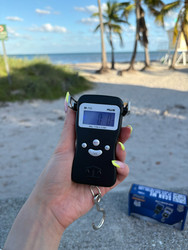
If your digital scale shows LO, Lo or a low-battery symbol, it usually means the batteries need replacement or the rechargeable battery needs charging.
The exact message depends on the model. Several American Weigh Scales manuals identify Lo as a low-battery warning and instruct users to replace the batteries. Check your model’s manual before interpreting the code. awscales.com
Start by restoring the correct power supply. Calibration does not clear a genuine low-battery warning.
What Does LO Mean on a Digital Scale?
LO usually indicates that the scale has detected insufficient battery power for normal operation.
Depending on the model, the message may appear:
- During startup
- Briefly before the display switches off
- While the scale is operating
- Alongside a battery icon
A scale may still illuminate its display while the remaining battery power is insufficient for reliable use. Resolve the warning before relying on measurements.
For other messages and operating questions, visit the AWS product FAQ.
LO vs. Overload: Do Not Confuse the Messages
Display characters can look similar, especially on a small screen.
| Message | Common meaning | First action |
|---|---|---|
| LO or Lo | Low battery power | Replace batteries or charge as instructed |
| OL, O_Ld or OUEr | Overload on some models | Remove the load immediately |
| UNST | Unstable conditions on some models | Check the surface, airflow and vibration |
| Blank screen | No power or another startup problem | Check batteries and connections |
These codes are not universal. For example, the AWS CP2-series manual distinguishes Lo, meaning low batteries, from O_Ld, meaning maximum capacity exceeded. awscales.com
Find the correct code definitions in the AWS product manuals.
How to Fix LO on a Battery-Powered Scale
1. Turn the Scale Off
Remove the item and any container from the platform. Turn the scale off and disconnect external power if applicable.
Open the battery compartment using the procedure in the manual.
2. Confirm the Required Battery Type
Check the manual or battery-compartment markings for:
- Battery size or model number
- Number of batteries
- Required battery chemistry
- Installation direction
Do not select a replacement based only on whether it fits. Batteries with similar dimensions can have different electrical characteristics.
Use rechargeable replacements only if the scale manufacturer permits them.
3. Replace the Complete Battery Set
Install fresh, matching batteries of the specified type. Replace all batteries together rather than changing only one.
Avoid mixing old and new batteries, different brands or different battery types. Energizer’s battery-care guidance recommends using the specified batteries and replacing them as a complete set. North America
4. Check Polarity
Match each battery to the + and − markings in the compartment.
Adjacent batteries may face opposite directions. For coin-cell models, use the marked orientation rather than assuming which side should face outward.
Make sure the batteries sit securely, then close the cover without forcing it.
5. Restart With an Empty Platform
Turn the scale on using its normal startup procedure.
Allow the startup sequence to finish. If the low-battery message clears and the scale reaches a stable zero, check normal operation before taking measurements.
How to Fix LO on a Rechargeable Scale
If your scale has a built-in rechargeable battery, follow the model’s charging instructions.
Check that:
- The charging cable is fully connected.
- The cable and power supply are compatible with the scale.
- The charging source has power.
- Any expected charging indicator appears.
- The scale receives the charging time specified in the manual.
A connector fitting into the port does not establish compatibility. Use the manufacturer-specified charging setup.
Do not assume every rechargeable scale can operate while charging. Likewise, a scale with an adapter socket does not necessarily recharge batteries installed inside it.
If the battery or device is swollen, unusually hot or visibly damaged, stop using and charging it and contact the manufacturer.
Why Does My Scale Still Show LO With New Batteries?
If the message remains after battery replacement, check the following before replacing the scale.
The Batteries May Not Be Fresh
Unused batteries can lose charge during storage. Try another fresh, matching set from a reliable source, particularly if the first set has been stored for a long time.
The Battery Type May Be Incorrect
Confirm the full battery designation, not just its shape. Also check whether your model permits the replacement chemistry you selected.
A Battery May Be Installed Incorrectly
Recheck the polarity markings and seating of every battery.
The Contacts May Be Dirty or Damaged
With power disconnected and batteries removed, inspect the accessible compartment for loose dirt, residue, corrosion or broken contacts.
For ordinary dirt, follow the manufacturer’s cleaning instructions. Do not scrape contacts with metal tools, bend them or insert foil to improve the connection.
If you find leakage, avoid bare-skin contact and consult the battery and scale manufacturers. Duracell’s battery information sheets provide chemistry-specific handling information for its products. Duracell
The Battery Cover May Be Damaged
If the warning changes when you press the cover or squeeze the housing, there may be a contact problem.
Do not hold the cover in place with an improvised wedge. Seek model-specific support.
The Scale May Need Service
If the correct fresh batteries are installed properly and the warning persists, an internal power or detection fault may require inspection.
The AWS scale FAQs provides further guidance on battery-related problems and service.
Can Cold Temperatures Cause Battery Problems?
Temperature can affect battery performance. A scale taken from a cold vehicle or stored in excessive heat may not behave normally.
Allow the scale to reach its permitted operating temperature before use. Do not heat it with a hair dryer, radiator or other direct heat source.
Duracell’s battery-care guidance explains that extreme temperatures can affect battery performance and contribute to leakage. The AWS maintenance guide also covers appropriate scale storage and care. Duracell
Do You Need to Calibrate After Fixing LO?
Not automatically.
A low-battery warning concerns the power supply. Calibration concerns how the scale responds to a reference mass.
After restoring power:
- Let the scale complete startup.
- Check that the platform is clear and the reading is stable.
- Verify performance using an appropriate reference.
- Follow the manual if calibration is required.
Do not enter calibration mode while the low-battery warning is active. If calibration is appropriate, use the exact reference weight and procedure specified for the model.
Read the AWS guide on how to calibrate a digital scale for more detail.
How to Reduce Repeat Low-Battery Warnings
Battery life varies with the model, battery type, usage and storage conditions. To avoid unnecessary drain:
- Switch the scale off when finished.
- Prevent the power button from being pressed during transport.
- Use the specified batteries.
- Follow instructions for long-term storage.
- Charge rechargeable models as directed.
- Replace depleted batteries promptly.
Do not assume a low-battery message that returns unusually quickly is normal. Record how soon it reappears and contact support if needed.
Handle and Dispose of Batteries Properly
Keep removed batteries secure during replacement, especially small button and coin cells. Close and secure the compartment before returning the scale to use.
The Consumer Product Safety Commission’s button-battery guidance explains why these batteries must remain inaccessible to children. CPSC.gov
For discarded batteries:
- Consult the EPA’s used household battery guidance and local requirements.
- Follow the EPA’s lithium-ion battery guidance for rechargeable batteries and devices. These should not go into household garbage or municipal recycling bins. US EPA
When to Contact Support
Seek help if:
- LO remains with the correct fresh batteries.
- The warning returns unusually quickly.
- The scale works only when the battery cover is pressed.
- The battery compartment or charging port is damaged.
- The device does not charge using the specified equipment.
- Leakage or liquid has entered the housing.
Have the model number, battery details, purchase information and troubleshooting steps ready. Contact American Weigh Scales support for assistance with your AWS model.
Frequently Asked Questions
Does LO mean low weight?
On many digital scales, LO means low battery power, not that the item is too light. Confirm the meaning in your model’s manual.
Is LO the same as overload?
Usually not. Overload codes vary and may include OL or O_Ld. If the message appears after adding a heavy item, remove it and check the manual.
Can I keep weighing when LO appears?
Resolve the warning before relying on readings. Replace the batteries or recharge the scale as instructed.
Why does LO appear immediately after startup?
The scale may detect insufficient power during startup. Check the correct battery type, charge level, polarity and connections.
Will resetting or calibrating clear LO?
Neither procedure restores depleted battery power. Start with the power supply and use only documented restart procedures.
Clear the LO Warning Before Weighing
Confirm the code in your manual, then replace the correct batteries or charge the scale as instructed. If LO persists, check polarity, contacts and the charging setup before seeking support.
Once the warning clears, verify normal operation before relying on the scale’s readings.